Forum Discussion

 New Contributor
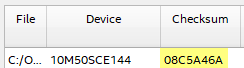
Is there a command-line function that can return the checksum of a .pof file?

 Super Contributor
The method for calculating the checksum using the TCL commands is different from the checksum calculated by the Programmer.
You can refer to this KDB article for more information:
https://www.intel.com/content/www/us/en/support/programmable/articles/000084456.html
Unfortunately, there is no other command-line that can return the checksum of a .pof file, that is matched to the checksum value generated by the Quartus software programmer.
Unfortunately, there is no other command-line option that can return the checksum of a .pof file that matches the checksum value generated by the Quartus software programmer.
Alternatively, to obtain the programmer checksum, you have two options:
- You may choose to use a .rpd file. You can create a .rpd file by using the Convert Programming File tool when creating a .pof file for internal configuration from a .sof file. Then, using a general binary editor, you can calculate the programmer checksum from the .rpd file. The checksum of the .rpd file is equivalent to the checksum value for the .pof displayed by the Programmer tool.
- You can also check the .map file generated using the Convert Programming File tool. It will state '- Data checksum for this conversion is 0x02666170.' With this, you can use the grep command to search the character 'checksum' from the .map file.
$ grep checksum xxx.map
-Data checksum for this conversion is 0x02666170
I hope this information helps you obtain what you need.
Best Regards,
Richard Tan


