Forum Discussion

 Honored Contributor
Where specify the path for #include files in NIOS II Eclipse
Hello,
I'm new in NIOS development tools and apologize in advance for probably silly question. So, the question is: How to take into account the .h files that are referenced (by #include statements) in the source code. I suppose that there are 2 options:- Add these files in the application directory tree (right-clicking on the project I didn't find respective option)
- Add the path to these .h files somewhere in the project option (where exactly ? because exploring project options I didn't find an option for specifying path for .h files)
7 Replies
 Altera_Forum
Finally I've found the location where the path to .h file must be specified.
Here it is: project-->settings-->c/c++ general-->paths and symbols-->includes tab. Here I've added the location (button Add...) to .h files: c:\altera\15.1\nios2eds\components\altera_nios2\hal\inc. After compilation this path appeared in the project "Includes" folder. Nevertheless the compilation failed: an error is found in the source file alt_main.c (please see the screenshot below). Any ideas ? Thanks. https://www.alteraforum.com/forum/attachment.php?attachmentid=13316- Altera_Forum
Resolved,
One needs to add the main application source file (where the function main is located) in elaboration process. Referring to the screenshot below, one should right-click on the source file and click on "add to nios ii build". After this the application is built without errors. https://www.alteraforum.com/forum/attachment.php?attachmentid=13317 - Altera_Forum
Here is build result without errors (with added source file to build process) - .elf file is generated.
https://www.alteraforum.com/forum/attachment.php?attachmentid=13318 - Altera_Forum
Try main application source file (where the function main is located) in elaboration process.
 Nonya
NonyaNew Contributor
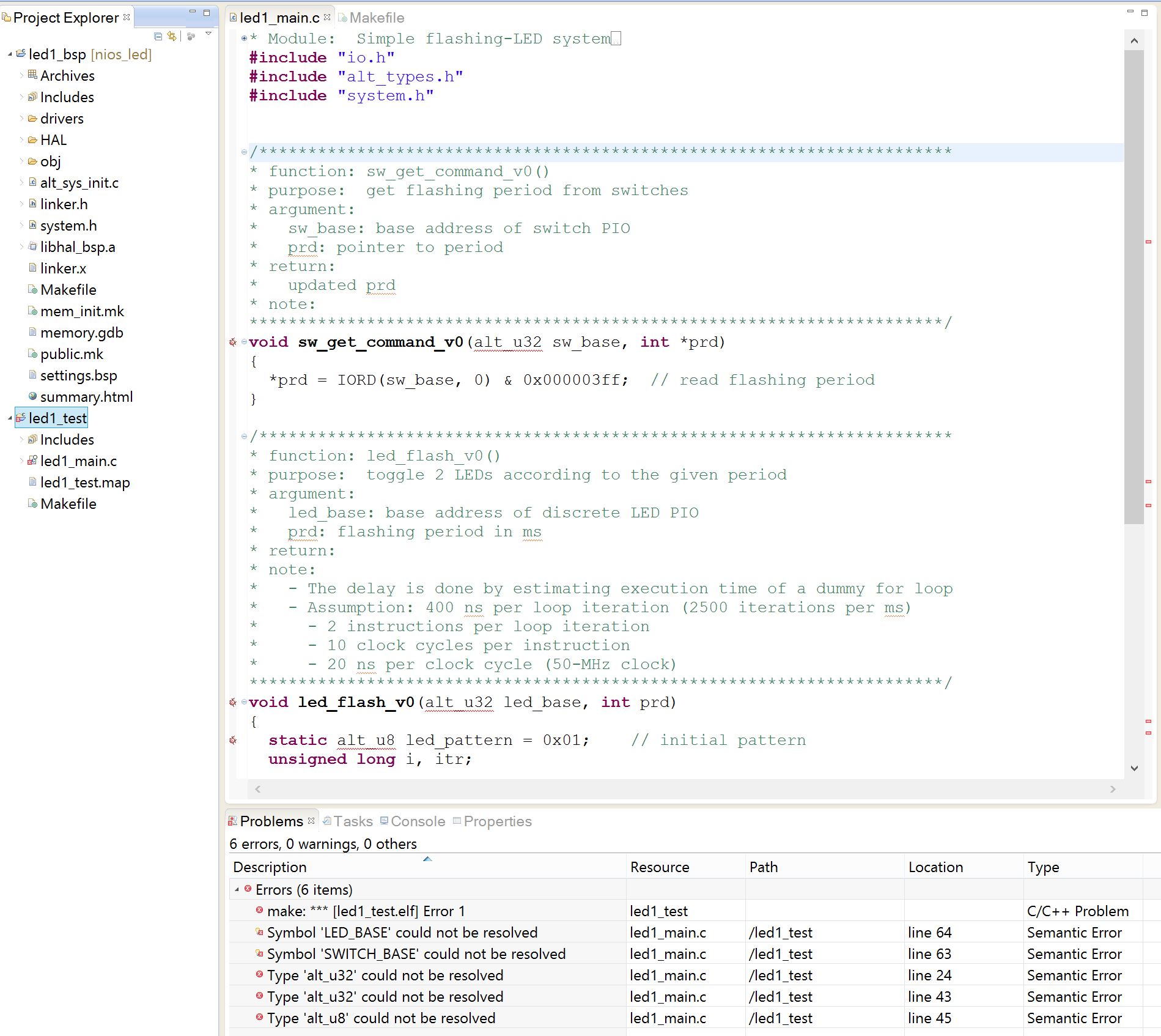
I am having nothing but problems with this IDE... one day it builds, the next day it doesn't. I have to import my projects every time I open the IDE... Very frustrating IDE to work with.
- Nonya
What is WRONG with this IDE?!?!!?
I added the include folder... it still can't find it.
 SueC_Altera
Contributor
Hi Nonya,
I'm sorry for your frustration. To get the best responses, please start a new thread, rather than posting on one that is several years old. Note that we have deprecated Nios II and strongly recommend that you use Nios V. You can find information about using the RiscFree IDE for Nios Vin the Nios V Embedded Processor Design Handbook. If you have further questions after reviewing that information, please post a new question on a new thread.
Thanks,
Sue




.JPG)