Forum Discussion

 New Contributor
Riscfree compilation error with message ".bss not within region onchip_mem"
 New Contributor
Hi Rolando,
thanks for your help.
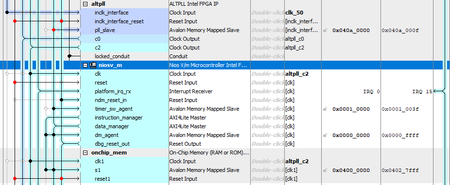
Regarding the .bss section, I have no idea of the needed size. I am attaching an archive file of my software directory (after performing a build clean). You might find some interesting informations inside. For completeness I join also the .sopcinfo file (in DE10_LITE_Qsys.zip file) from which the bsp (hal_bsp) was generated.
Regarding the gmake issue, I already have placed the Matlab path at the end of the PATH variable, but the behavior remains unchanged. I do not see a gmake.exe file in the Quartus installation tree directories. So, even though the Quartus variable takes precedence, no program is found. I deleted the gmake.exe file from Matlab directory. Riscfree throws an error saying that gmake is no longer available.
Best regards,
Thierry

 Occasional Contributor
Hi Thierry
I exercised the tutorial at the following application note: https://cdrdv2-public.intel.com/784469/an-784468-784469.pdf
At the section 1.2.2.4 there is an alternative to build the application .elf file from the command line instead for riscfree:
$cmake -G "Unix Makefiles" -DCMAKE_BUILD_TYPE=Debug -B software/app/debug -S
software/app
$ make -C software/app/debug
Have you tried this? You need to do it after entering into the niosv shell. I was told that everything that you need is already included as part of the Quartus installation, so no gmake from other application will be needed. I just tried with the software directory that you provided using Quartus Pro 25.1 and was able to generate the .elf (attaching this one compressed).
So, I am guessing that the issue that you are seeing is from actually being using the gmake from Matlab.
Thanks
Rolando
- Thierry291 year ago
Hi Rolando,
I have attached the app and bsp directories that I generated (located in the "soft2" directory) so you can verify their accuracy. The next step is to import the project into Riscfree. The version of Riscfree I am using (v23.4.1, 3rd Nov 2023 installed with Quartus 23.1.1) does not implement the "Import Nios V CMake Project" option that is used in the application note 985.
Could you please tell me exactly how to import the project with this version of Riscfree?
Best regards,
Thierry


