Forum Discussion

 New Contributor
NIOS/uCOS system boot from UFM problem
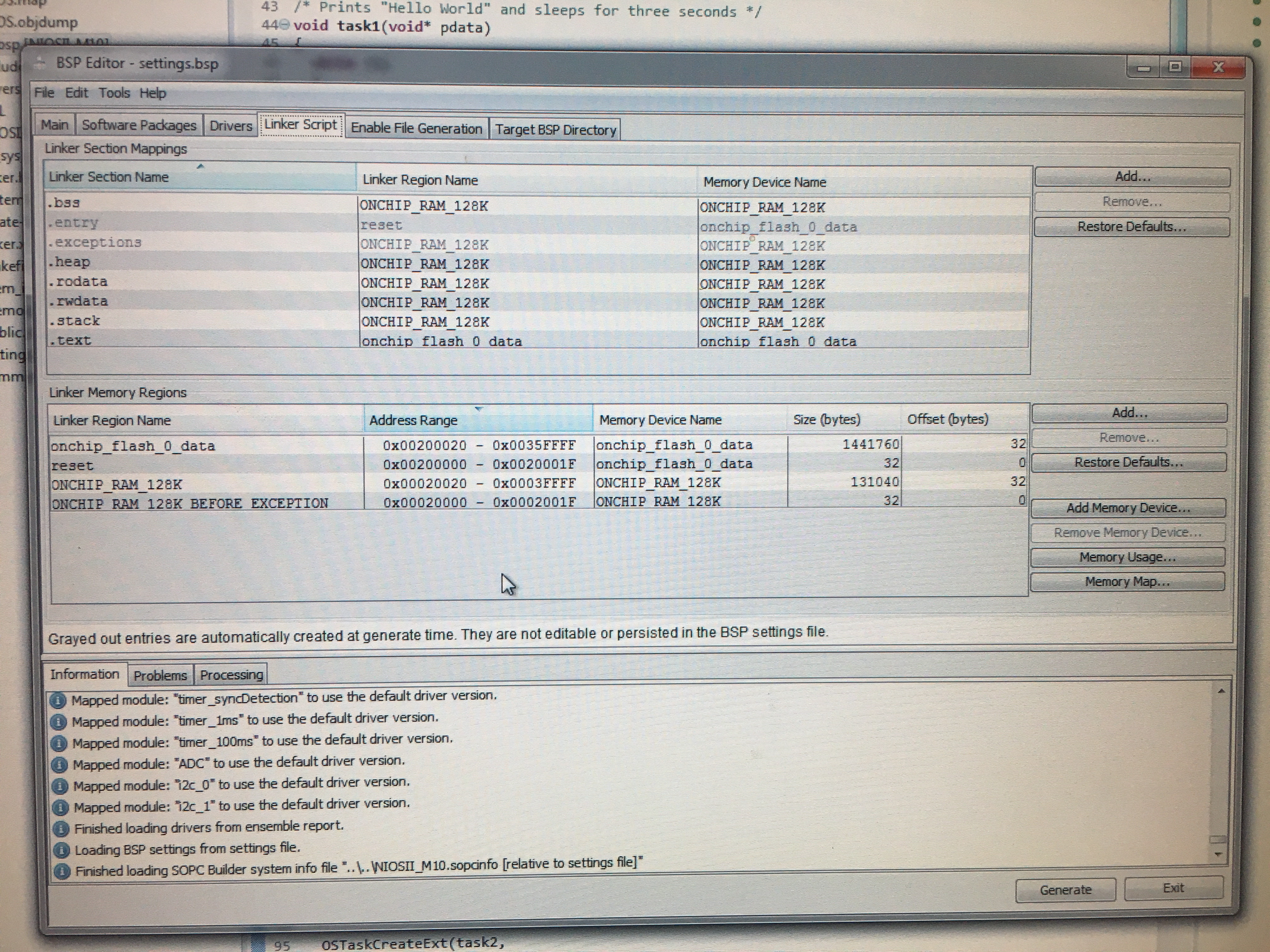
Hi, I am having problems with making the "Hello MicroC/OS-II" project template to work from UFM, on a MAX 10M50 device that has a NIOS II processor and 128K internal RAM. I set everything up conform "Boot option 1a" from AN730: application code on UFM, runtime location internal RAM. I think my problem is with bsp settings. As you can see in the picture when I select: "enable_alt_load" under BSP_editor/Setings/Advanced/hal/linker, the options for selecting "enable_alt_load_copy_rodata", rwdata, exceptions are not available(greyed_out). When I try to run the debugger it tells me "verify failed between address..." (address belongs to UFM sector)(see picture).
What should I change to be able to run a MicroC/OS_II application stored on UFM(flash) without copying .text part into the RAM?
Note: The "Hello World!" project works just fine with this "Boot option 1a" setup. So, the problem shows up when I switch from a "hal" software project to a "uCOS" software project.
Any suggestions?
Thank you!
1 Reply
 BoonBengT_Altera
Moderator
Hi @SCroi1,
Thank you for posting in Intel community forum, hope all is well and apologies for the delayed in response.
Following up on the queries, please do let us know if the doubts are still here, and we would try our best to clarify.Best Wishes
BB