Forum Discussion

 New Contributor
DDR4 HILO in S10MX failed initialization

 Occasional Contributor
Hi,
To lower the frequency is just to have a test, to see if lower frequency is effect.
To disable/skip address/command calibration step is to enable the highlight setting. Pls make sure you follow it. If all the 3 actions you are implement, please let me know the result.
New ContributorHi,
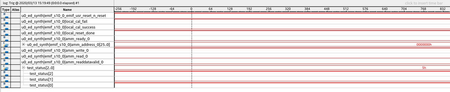
Lowering the frequency to 933 or 933.3333 caused error as shown below
I also made the test with
- Skip address/command leveling
- Skip address/command leveling & deskew
None of them works.
Thanks
- ybin6 years ago
Hi,
I check the development kit bts setting, I find that the type of DDR4 is UDIMM. Can you check your board's DDR4 type from the part number? To see if it's the same as BTS setting.
BTW, you compiled BTS and test it, not just use the sof from the download package, Is that right?
- ybin6 years ago
Hi,
Besides the question I mentioned before, below two points need to check:
1) Do have any physical inspection being performed on DDR4 hilo card? Ensure you plug in the DIMM properly to avoid bad pin contact issue.
2) Please offer either dev kit or DDR4 hilo card serial number.
- ybin6 years ago
Another action:
If you have another board which works well. You can swap the DDR4 DIMM, to check the issue is related to board or DDR4 DIMM.


