Forum Discussion

 New Contributor
Quartus programmer start failed
 1 year ago
Hi,
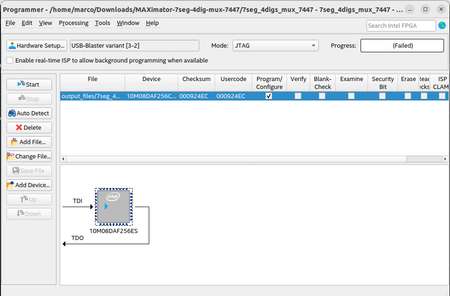
I stumbled upon "USB-Blaster variant" device name which shouldn't occur for regular USB-Blaster. Could be a Linux specific problem as discussed here https://furrah.github.io/usb-blaster-linux-quartus2-virtual-machine/
Regarding jtagd question, Quartus instally a jtagd running under systemctrl. If it's stopped, Quartus programmer and other tools using jtagd are starting there own local jtagd instance.
 Super Contributor
Hi,
I stumbled upon "USB-Blaster variant" device name which shouldn't occur for regular USB-Blaster. Could be a Linux specific problem as discussed here https://furrah.github.io/usb-blaster-linux-quartus2-virtual-machine/
Regarding jtagd question, Quartus instally a jtagd running under systemctrl. If it's stopped, Quartus programmer and other tools using jtagd are starting there own local jtagd instance.
 ocraM1 year ago
Hi, thanks for the help!
I managed to make it work... I had already tried the /etc/udev/rules.d suggestion before and it didn't work alone, but after stumbling upon this (which is pretty similar to what you suggested) I uninstalled the program as I had done several times before, but this time downloaded a new installer from "Multiple download" instead of from "Installer (new!)" in the download page. I also rebooted my computer after installation (not sure if needed).
Now it works. I suspect the usbblaster driver is not installed via the installer but is via the "setup.sh" script that comes with the tar file. I am not sure, though, and I didn't find anything with "sudo lsmod | grep usbblaster".
I also dont find anything with "jtag" in "systemctl list-units" but I do find a process spawned by executable jtagd which seems to be from systemd:marco@hivemind:~$ ps aux | grep jtagd marco 4917 0.0 0.0 0 0 ? Z 17:19 0:00 [jtagd] <defunct> marco 4929 0.0 0.0 24452 3400 ? S 17:19 0:00 jtagd --user-start --config /home/marco/.jtagd.conf marco 6641 0.0 0.0 20744 2816 pts/1 S+ 17:35 0:00 grep --color=auto jtagd marco@hivemind:~$ ps -o ppid= 4929 2112 marco@hivemind:~$ ps aux | grep 2112 marco 2112 0.0 0.0 18016 10496 ? Ss 17:17 0:00 /lib/systemd/systemd --user marco 6645 0.0 0.0 20744 2816 pts/1 S+ 17:35 0:00 grep --color=auto 2112


