Forum Discussion

Altera_Forum Honored Contributor
11 years agoHonored ContributorDashboard in System Console
Looks like using a Dashboard in System Console is a great way to debug hardware. I am able to write TCL commands to create the dashboard, show the dashboard, add buttons etc. But I have difficulty figuring out how to organize the code (into functions instead of just lines of TCL code).
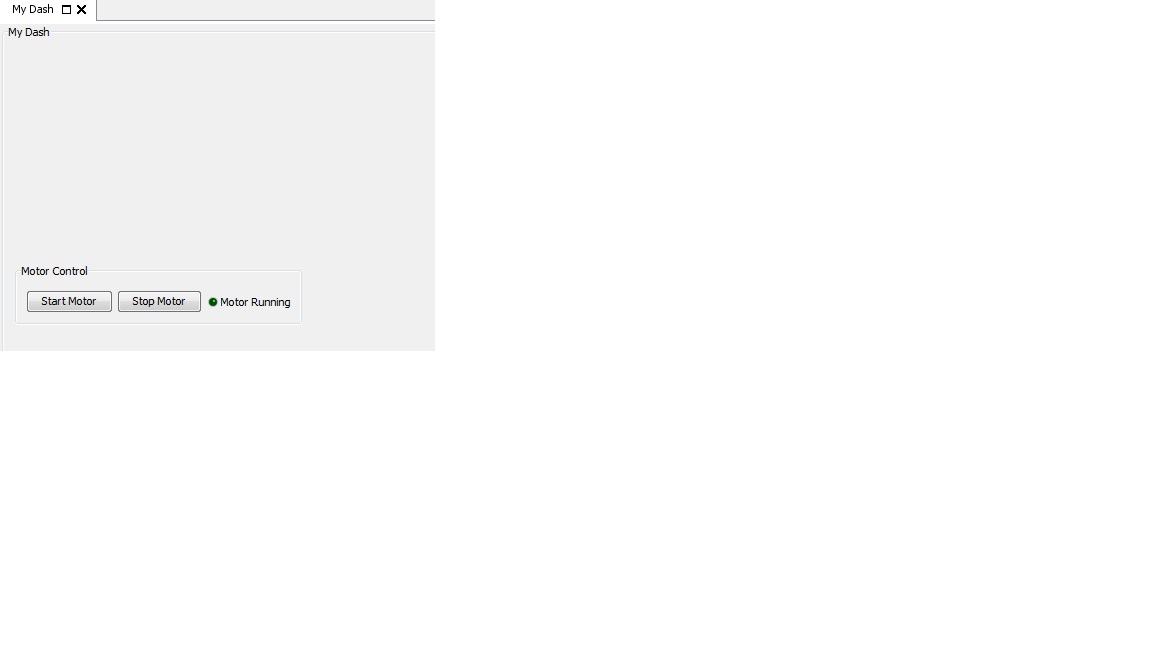
I am starting out simple, just two buttons and an LED. Start Motor, Stop Motor and Motor_Running LED This is what I have as a starting point:# ################################################################################## Motor Control set dash_path [add_service dashboard my_dash "My Dash" "Tools/My Dash"] # Set dashboard visible dashboard_set_property $dash_path self visible true dashboard_add $dash_path G1 group self dashboard_set_property $dash_path G1 title "Motor Control"# Add Button for Start Motor, Stop Motor dashboard_add $dash_path BtnStart button G1 dashboard_set_property $dash_path BtnStart text "Start Motor" dashboard_set_property $dash_path BtnStart onClick [list StartMotor "Running"] dashboard_add $dash_path BtnStop button G1 dashboard_set_property $dash_path BtnStop text "Stop Motor" dashboard_set_property $dash_path BtnStop onClick [list StopMotor "NotRunning"] # Add LED to show if Motor is running dashboard_add $dash_path LEDRunning led G1 dashboard_set_property $dash_path LEDRunning text "Motor Running" dashboard_set_property $dash_path LEDRunning color green_off Question 1: How do I organize this code (maybe into a function called Init), then how do I call it from System Console Question 2: When Start Motor is pressed, on click shall call a function. Should I keep the function the same file? Question 3: LED should be turned on by Motor-Start, turned off by Motor-Stop Appreciate any help or advice ThanksNo RepliesBe the first to reply