Forum Discussion

 Contributor
DDR4 compile conflict with existing constrains
 4 years ago
Hi David,
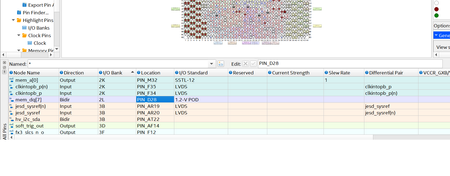
I can see the alert_n pin that you disabled.
Actually the alert_n pin configuration is in the EMIF IP.
When you open the EMIF IP in IP Parameter Editor, under the Memory tab, in Topology section, there is a ALERT# pin placement option.
The EMIF IP will reserve the location that you have set for the alert_n pin.
In your project, I can see that you set it to I/O Lane with DQS Group 0.
So the pin location should be in the Bank 2L where there is your DQS Group 0 - 3.
Because the alert_n pin is not been set by the user, the Quartus will set it for you.
In this case, I can see that the Quartus has set it to pin C28.
So now you can change the pin location from E35 to C28 or just let the Quartus set it for you.
I generate the .tcl file from the Pin Planner in case you want to refer the pin location that have been changed.
But I also share the .qsf file to ease your work.
Don't worry on how to use it.
It's just for reference purpose.
I'm sorry for confusing you.
Please let me know if you're still having trouble with it.
Thanks,
Adzim
 Regular Contributor
Hi David,
I'm really sorry because it's my fault to judge the pin location for pin E35.
The pin E35 is not in lane 0 index 8, but it is in lane 3 index 0.
I've referred to the Arria 10 Pin-Out file to confirm the pin location.
I also have applied the changes into your project and it's working.
Here are some steps that you can follow:
-
Change the following setting: (The changes is in EMIF IP in the Memory tab under the Topology section)
-
ALERT# pin placement: I/O Lane with Address/Command Pins
-
Address/command I/O lane of ALERT#: 3
-
Pin index of ALERT#: 0
-
-
Save and regenerate your EMIF IP.
-
Enable the mem_alert_n pin location to pin E35. (if you enable it through .qsf file, you need to restart the Quartus software)
-
Compile the project.
I hope you're able to make it from your site.
Please let me know if you still need help on this.
Regards,
Adzim
 Contributor
Hi Adzim
It works now, thank you very much.
David


