Forum Discussion

 New Contributor
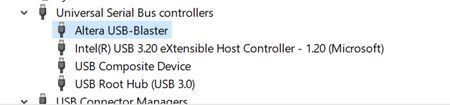
Altera USB Blaster (usb-0)

 Super Contributor
Hi,
I was suggesting autodetect to check FPGA connection. If you are starting the programmer in a Quartus project, the connected FPGA should match the project settings, otherwise sof download can't succeed.
If you device is correct but sof download fails though, there's probably a hardware problem. Is it a verified board design, e.g. development kit, or your own hardware?
 New Contributor
Again thanks for responding.
i started the project by selecting cyclone V 5CEBA4U15C7, but usb blaster is detecting '5CEBA4' , how to flash the generated sof file for 5CEBA4U15C7, with usb blaster only detecting 5CEBA4. Does it means a hardware problem ?.
The device iam working on is a verified board, it's our own hardware, fpga used is '5CEBA4U15C7', where jtag connections are availabe and can be accessed.
Regards.
- FvM3 years agoHi,
with which error does configuration fail? Presumed you are not trying to configure the FPGA with a .sof for a different device, it's most likely a problem of JTAG harware on your board and signal quality. You say that "JTAG connections are available and can be accessed". That's obvious in so far as Quartus programmer identifies the Cyclone V device. But how do you prove that the connection is reliable?- mahi_729313 years ago
Hi Thanks for the reply,
in programmer, i am choosing 'add file' option and selecting the generated sof file, but it is failing every time.
- mahi_729313 years ago
Error (209014): CONF_DONE pin failed to go high in device 1. Make sure all communication cables are securely connected, select a different device, check the power on the target system, or make sure all nCE pins are connected to GND. The Intel FPGA Knowledge Database contains many articles with specific details on how to resolve this error. Visit the Knowledge Database at https://www.altera.com/support/support-resources/knowledge-base/search.html and search for this specific error message number.
- mahi_729313 years ago
fyi,
nCE pins on the hardware are connected to ground.
 _AK6DN_3 years ago
Frequent Contributor
You are not understanding what the JTAG ID represents. It is keyed to a particular FPGA DIE, and does not represent
either the package or the temperature/speed grade codes.So the USB Blaster will detect the JTAG ID for the die '5CEBA4'. It cannot know the package type, speed grade, temperature
grade, etc, since the same DIE is used in various packages and the same DIE is characterized for speed/temperature in manufacturing.In your case the FPGA '5CEBA4U15C7' is DIE '5CEBA4' package code 'U15' temp grade 'C' and speed grade '7'.
You would need to assign the package type, temp grade, and speed grade in the programming tool manually if you want.
Normally the programming file does not care about the those characteristics as you are programming the DIE type via the SOF file.
- mahi_729313 years ago
Thank you for the reply, i didn't knew that.
in programmer i even choose the device from 'add device', it still fails.

