User Profile

DivyaG_Altera
 New Contributor
Joined 5 years ago


User Widgets
Contributions
Re: Failed to launch NIOSV Command Shell. Getting (0xc0000142) application error.
Hi @prashant_gohel Thanks for testing it out. Let us know if re-installing Python makes any difference. Meanwhile, our tools team have created a test setup with Windows 10 to list out the list of DLLs that are expected to be present for niosv-shell / qyartus_py. To find this on your Windows machine, use this Microsoft utility : https://learn.microsoft.com/en-us/sysinternals/downloads/listdlls To run this, first launch niosv shell : c:\intelFPGA_pro\23.4\niosv\bin\niosv-shell.exe Then from a new cmd shell, run : Listdlls.exe quartus_py.exe > out.txt You can compare the DLLs listed in 'out.txt' with the list provided below by our tools team. For convenience, we've categorized the DLLs based on their source. Below is the list of DLLs provided by Windows: Base Size Path 0x00000000072b0000 0x1f8000 C:\WINDOWS\SYSTEM32\ntdll.dll 0x0000000005750000 0xc2000 C:\WINDOWS\System32\KERNEL32.DLL 0x00000000049f0000 0x2ff000 C:\WINDOWS\System32\KERNELBASE.dll 0x00000000051d0000 0x100000 C:\WINDOWS\System32\ucrtbase.dll 0x0000000003cf0000 0x3b000 C:\WINDOWS\SYSTEM32\IPHLPAPI.DLL 0x0000000007260000 0x8000 C:\WINDOWS\System32\PSAPI.DLL 0x00000000058b0000 0x6b000 C:\WINDOWS\System32\WS2_32.dll 0x00000000070c0000 0x19d000 C:\WINDOWS\System32\USER32.dll 0x0000000005f70000 0x123000 C:\WINDOWS\System32\RPCRT4.dll 0x0000000004f40000 0x22000 C:\WINDOWS\System32\win32u.dll 0x0000000006280000 0xaf000 C:\WINDOWS\System32\ADVAPI32.dll 0x0000000005920000 0x9e000 C:\WINDOWS\System32\msvcrt.dll 0x00000000063c0000 0x2b000 C:\WINDOWS\System32\GDI32.dll 0x00000000052d0000 0x9f000 C:\WINDOWS\System32\sechost.dll 0x0000000004d90000 0x11a000 C:\WINDOWS\System32\gdi32full.dll 0x0000000005540000 0x55000 C:\WINDOWS\System32\SHLWAPI.dll 0x00000000049c0000 0x27000 C:\WINDOWS\System32\bcrypt.dll 0x0000000004cf0000 0x9d000 C:\WINDOWS\System32\msvcp_win.dll 0x00000000f5a10000 0x1d000 C:\WINDOWS\SYSTEM32\MPR.dll 0x00000000f2650000 0x19000 C:\WINDOWS\SYSTEM32\NETAPI32.dll 0x0000000005820000 0x2f000 C:\WINDOWS\System32\IMM32.DLL 0x0000000004200000 0x18000 C:\WINDOWS\SYSTEM32\CRYPTSP.dll 0x0000000003930000 0x38000 C:\WINDOWS\system32\rsaenh.dll 0x0000000004220000 0xc000 C:\WINDOWS\SYSTEM32\CRYPTBASE.dll 0x0000000004eb0000 0x82000 C:\WINDOWS\System32\bcryptPrimitives.dll 0x00000000f8e30000 0x19000 C:\WINDOWS\SYSTEM32\SAMCLI.DLL 0x0000000003e00000 0xc000 C:\WINDOWS\SYSTEM32\NETUTILS.DLL 0x0000000003e10000 0x43000 C:\WINDOWS\SYSTEM32\LOGONCLI.DLL 0x00000000f8d10000 0xa000 C:\WINDOWS\SYSTEM32\VERSION.dll Here is a list of DLLs provided by Quartus : 0x00000000a08f0000 0x1b000 C:\intelfpga_pro\23.4\quartus\bin64\quartus_py.exe 0x00000000fffc0000 0x6000 C:\intelfpga_pro\23.4\quartus\bin64\ccl_main_globals.dll 0x00000000e76d0000 0x1fb000 C:\intelfpga_pro\23.4\quartus\bin64\tcmalloc_minimal.dll 0x00000000f45e0000 0x59000 C:\intelfpga_pro\23.4\quartus\bin64\ccl_mem.dll 0x00000000e7550000 0x172000 C:\intelfpga_pro\23.4\quartus\bin64\ccl_msg.dll 0x00000000cd8a0000 0x1b4000 C:\intelfpga_pro\23.4\quartus\bin64\ccl_gen.dll 0x00000000ff420000 0x14000 C:\intelfpga_pro\23.4\quartus\bin64\ccl_py.dll 0x00000000a8990000 0x42b000 C:\intelfpga_pro\23.4\quartus\bin64\python38.dll 0x00000000fbdf0000 0x1b000 C:\intelfpga_pro\23.4\quartus\bin64\VCRUNTIME140.dll 0x00000000e4750000 0x8e000 C:\intelfpga_pro\23.4\quartus\bin64\MSVCP140.dll 0x00000000ffd20000 0xc000 C:\intelfpga_pro\23.4\quartus\bin64\VCRUNTIME140_1.dll 0x00000000ff9d0000 0x6000 C:\intelfpga_pro\23.4\quartus\bin64\udm_barebones.dll 0x00000000f3400000 0x2e000 C:\intelfpga_pro\23.4\quartus\bin64\CCL_ERR.dll 0x00000000f2b30000 0x53000 C:\intelfpga_pro\23.4\quartus\bin64\ccl_thr.dll 0x00000000c24b0000 0x1f3000 C:\intelfpga_pro\23.4\quartus\bin64\dbghelp.dll 0x00000000ff410000 0x7000 C:\intelfpga_pro\23.4\quartus\bin64\tbbamalloc.dll 0x00000000a5170000 0x323000 C:\intelfpga_pro\23.4\quartus\bin64\tbbmalloc.dll 0x00000000e74f0000 0x51000 C:\intelfpga_pro\23.4\quartus\bin64\tbb12.dll 0x00000000f2ca0000 0x2e000 C:\intelfpga_pro\23.4\quartus\bin64\boost_filesystem-mt-x64.dll 0x00000000e4710000 0x31000 C:\intelfpga_pro\23.4\quartus\bin64\VCOMP140.DLL 0x00000000e2400000 0x85000 C:\intelfpga_pro\23.4\quartus\bin64\ccl_atcl.dll 0x00000000f2930000 0x26000 C:\intelfpga_pro\23.4\quartus\bin64\ccl_big.dll 0x00000000ddb10000 0x3f000 C:\intelfpga_pro\23.4\quartus\bin64\ccl_cfg_ini.dll 0x00000000cd840000 0x53000 C:\intelfpga_pro\23.4\quartus\bin64\ccl_fio.dll 0x00000000f3b10000 0x14000 C:\intelfpga_pro\23.4\quartus\bin64\ccl_ver.dll 0x00000000faad0000 0xb000 C:\intelfpga_pro\23.4\quartus\bin64\ccl_osi.dll 0x00000000cd7e0000 0x59000 C:\intelfpga_pro\23.4\quartus\bin64\ccl_qtl.dll 0x000000006ded0000 0x18a000 C:\intelfpga_pro\23.4\quartus\bin64\tcl86.dll 0x00000000f34f0000 0x19000 C:\intelfpga_pro\23.4\quartus\bin64\ccl_tst.dll 0x00000000ee710000 0x24000 C:\intelfpga_pro\23.4\quartus\bin64\ccl_fstr.dll 0x00000000c2c40000 0x136000 C:\intelfpga_pro\23.4\quartus\bin64\ccl_sqlite3.dll 0x00000000f3320000 0x17000 C:\intelfpga_pro\23.4\quartus\bin64\ccl_xml.dll 0x00000000cd600000 0x58000 C:\intelfpga_pro\23.4\quartus\bin64\ccl_pdb.dll 0x00000000a4e80000 0x2e7000 C:\intelfpga_pro\23.4\quartus\bin64\xerces-c_3_2.dll 0x00000000e9d90000 0x2a000 C:\intelfpga_pro\23.4\quartus\bin64\fmt.dll 0x00000000f2c60000 0x1b000 C:\intelfpga_pro\23.4\quartus\bin64\ccl_zlib.dll 0x00000000a4b20000 0x352000 C:\intelfpga_pro\23.4\quartus\bin64\libcrypto-1_1-x64.dll 0x00000000a4950000 0x1ce000 C:\intelfpga_pro\23.4\quartus\bin64\icuuc69.dll 0x00000000f2670000 0x1e000 C:\intelfpga_pro\23.4\quartus\bin64\ccl_clw.dll 0x00000000e3800000 0x22000 C:\intelfpga_pro\23.4\quartus\bin64\lz4.dll 0x00000000c13d0000 0xb4000 C:\intelfpga_pro\23.4\quartus\bin64\zstd.dll 0x00000000f25f0000 0x12000 C:\intelfpga_pro\23.4\quartus\bin64\LZMA18.dll 0x00000000d1090000 0x31000 C:\intelfpga_pro\23.4\quartus\bin64\liblzma.dll 0x00000000c3d70000 0x1b59000 C:\intelfpga_pro\23.4\quartus\bin64\icudt69.dll 0x00000000f4a00000 0xf000 C:\intelfpga_pro\23.4\quartus\bin64\python3.DLL 0x00000000f2270000 0x18000 c:\intelfpga_pro\23.4\quartus\bin64\python\lib\_bz2.pyd 0x00000000e1c80000 0x2b000 c:\intelfpga_pro\23.4\quartus\bin64\python\lib\_lzma.pyd 0x00000000f0c90000 0x17000 c:\intelfpga_pro\23.4\quartus\bin64\python\lib\_socket.pyd 0x00000000f42f0000 0xa000 c:\intelfpga_pro\23.4\quartus\bin64\python\lib\select.pyd2.2KViews0likes0CommentsRe: Failed to launch NIOSV Command Shell. Getting (0xc0000142) application error.
We attempted to reproduce this issue on a Windows 10 machine but have not been successful so far. The Tools team recommends trying standard Python 3.8.10, as it closely matches the Python 3.8.18 version used by quartus_py in Quartus 23.4. Download Python 64bit 3.8.10 from: https://www.python.org/ftp/python/3.8.10/python-3.8.10-amd64.exe Run the Python installer after download completes. Select Custom Installation uncheck Documentation uncheck tcl/tk and IDLE uncheck Python test suite Click Next Uncheck Associate files with Python (requires the py launcher) Uncheck Create shortcuts for installed applications Select Customized install location and use this path or any convenient short path. c:\a\Python\Python38 Click install Close From command prompt: cd <quartus installation>\niosv\bin\niosv-shell-files\ c:\a\Python\Python38\python main.py As suggested above, set the PATH to minimal, we recommend installation to be at default c:\intelFPGA_pro\23.4 and run NIOS V shell.3KViews0likes1CommentRe: Failed to launch NIOSV Command Shell. Getting (0xc0000142) application error.
Hi Prashant, We attempted to reproduce this issue on a Windows 10 machine but have not been successful so far. The Tools team recommends trying standard Python 3.8.10, as it closely matches the Python 3.8.18 version used by quartus_py in Quartus 23.4. Download Python 64bit 3.8.10 from: https://www.python.org/ftp/python/3.8.10/python-3.8.10-amd64.exe Run the Python installer after download completes. Select Custom Installation uncheck Documentation uncheck tcl/tk and IDLE uncheck Python test suite Click Next Uncheck Associate files with Python (requires the py launcher) Uncheck Create shortcuts for installed applications Select Customized install location and use this path or any convenient short path. c:\a\Python\Python38 Click install Close From command prompt: cd <quartus installation>\niosv\bin\niosv-shell-files\ c:\a\Python\Python38\python main.py As suggested above, set the PATH to be the minimal and run quartus_py Please let us know if this makes any difference. Regards, Divya3KViews0likes0CommentsRe: Failed to launch NIOSV Command Shell. Getting (0xc0000142) application error.
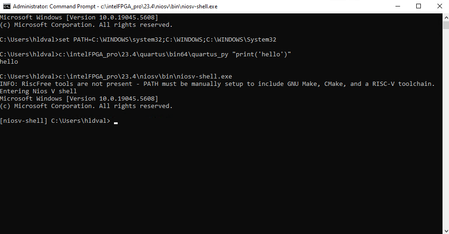
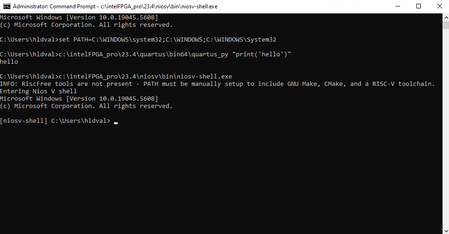
Hi Prashant, I just wanted to follow up on this thread. Did you find any PYTHON environment variables on your system ? Our tools team suggest running these steps and let us know if it resolves the issue : 1. running the Windows Resource Checker as Adminstrator w/ following command: sfc /scannow 2. Try simplifying the PATH to the minimal and execute. Example: C:\Windows\System32>set Path=C:\Program Files\Python312\;C:\WINDOWS\system32;C:\WINDOWS; C:\Windows\System32>c:\altera_pro\25.1_129\quartus\bin64\quartus_py C:\Windows\System32>c:\altera_pro\25.1_129\quartus\bin64\quartus_py "print(\"hello\")" hello Regards, Divya5.5KViews0likes0CommentsRe: Failed to launch NIOSV Command Shell. Getting (0xc0000142) application error.
Hi Prashant, I'll follow up internally once more to get an update. But in the meantime, here's what they've shared : For the NIOS V tools to function correctly, quartus_py.exe must be operational. We have not seen any issues with this executable in our regressions. The team suggests checking for any PYTHON* environment variables. To do this, run set in a cmd.exe shell to display all environment variables. If you find any PYTHON* entries, try removing them to see if that resolves the issue. You can remove a variable by running: "set name_of_variable=" Let me if this helps. Regards, Divya5.7KViews0likes0CommentsRe: Failed to launch NIOSV Command Shell. Getting (0xc0000142) application error.
Hi Prashant, Since I’m unable to reproduce this issue, it’s hard to pinpoint the cause. I’ve checked the environment variable on my system and it mostly matches with yours, perhaps you could try updating the SOPC_KIT_NIOS2 under user variable to reference your current installation? Regards, Divya6.4KViews0likes2Comments