Forum Discussion

 New Contributor
FPGA Monitor Program 18.1 Tutorial: Could not query JTAG Instance IDs. Please ensure the FPGA has be
 New Contributor
Hello,
For your second issue, the monitor program cannot be used when using an SD Card to boot linux. Either use the SD Card and boot linux, then connect to linux via the instructions in the tutorial "Use Linux on Terasic DE-Series Boards" (found on 'https://software.intel.com/content/www/us/en/develop/topics/fpga-academic/materials-tutorials.html') or use the monitor program.
Kind regards,
Blair
 New Contributor
Hello,
<quote>
For your second issue, the monitor program cannot be used when using an SD Card to boot linux. Either use the SD Card and boot linux, then connect to linux via the instructions in the tutorial "Use Linux on Terasic DE-Series Boards" (found on 'https://software.intel.com/content/www/us/en/develop/topics/fpga-academic/materials-tutorials.html') or use the monitor program.
</quote>
You lost me here. BTW, this is a broken link :
https://software.intel.com/content/www/us/en/develop/topics/fpga-academic/materials-tutorials.html
Regards,
phiho
- Blair5 years ago
Hello,
Responding to your 3 recent posted in order that they were posted:
1) Sorry, the link got messed up (a ' was added at the end of the URL). https://software.intel.com/content/www/us/en/develop/topics/fpga-academic/materials-tutorials.html
We provide two ways to use the ARM processor on the board: i) Using an SD Card with Linux or ii) Using the Monitor Program to write 'baremetal' (no OS) programs. You cannot boot linux using an SD Card and then try to connect using the Monitor Program. To use the Monitor Program please remove any SD Card before turning the board on. Both methods are described in separate tutorials found on the page linked above.
2) You are welcome.
3) I was not able to reproduce the issue. I do remember having to fix that issue in the past. I suggest having Quartus, the Monitor Program and your project all on the same drive, just to be safe.
I'm not using a SD Card because that doesn't work when trying to use the Monitor Program. But if you want to use linux instead of the Monitor Program, I'd use the SD Card image found here: https://software.intel.com/content/www/us/en/develop/topics/fpga-academic/materials-sd-card-images.html
- phiho5 years ago
Hello,
> 1) Sorry, the link got messed up (a ' was added at the end of the URL). https://software.intel.com/content/www/us/en/develop/topics/fpga-academic/materials-tutorials.html
Thank you, it works now.
>1) To use the Monitor Program please remove any SD Card before turning the board on.
I just took my FPGA card behind the back burner, dusting it off, removing the SD card, connecting all three micro/mini USB ports to my computer and power it up.
> 3) I was not able to reproduce the issue. I do remember having to fix that issue in the past. I suggest having Quartus, the Monitor Program and your project all on the same drive, just to be safe.
F:\de10-nano\Tutorials\FPGA_Monitor\18.1\ was moved to:
G:\intel\de10-nano\Tutorials\FPGA_Monitor\18.1
On drive G: there are also these folders:
G:\intel\FPGA\Lite\18.1\quartus
G:\intel\FPGA\Lite\18.1\University_Program
G:\intel\FPGA\Lite\18.1\University_Program\SD_Card_Images\DE10-Nano
"Intel FPGA Monitor Program 18.1" was started and the project "G:\intel\de10-nano\Tutorials\FPGA_Monitor\18.1\arm\arm_de10_nano_asm.amp" was loaded.
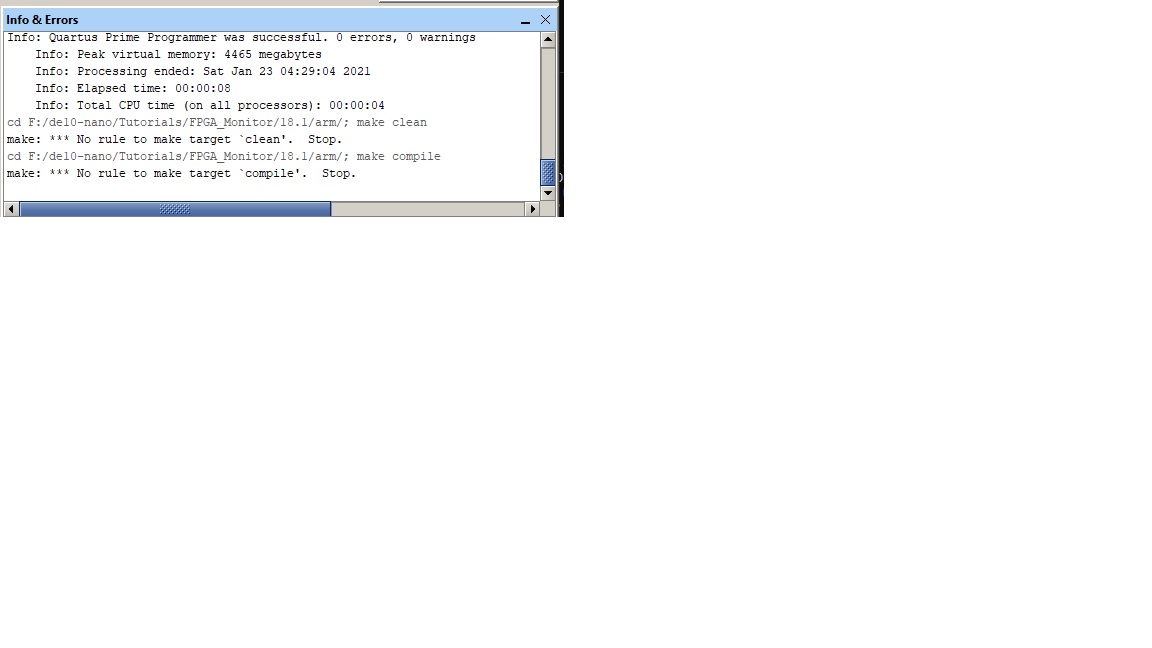
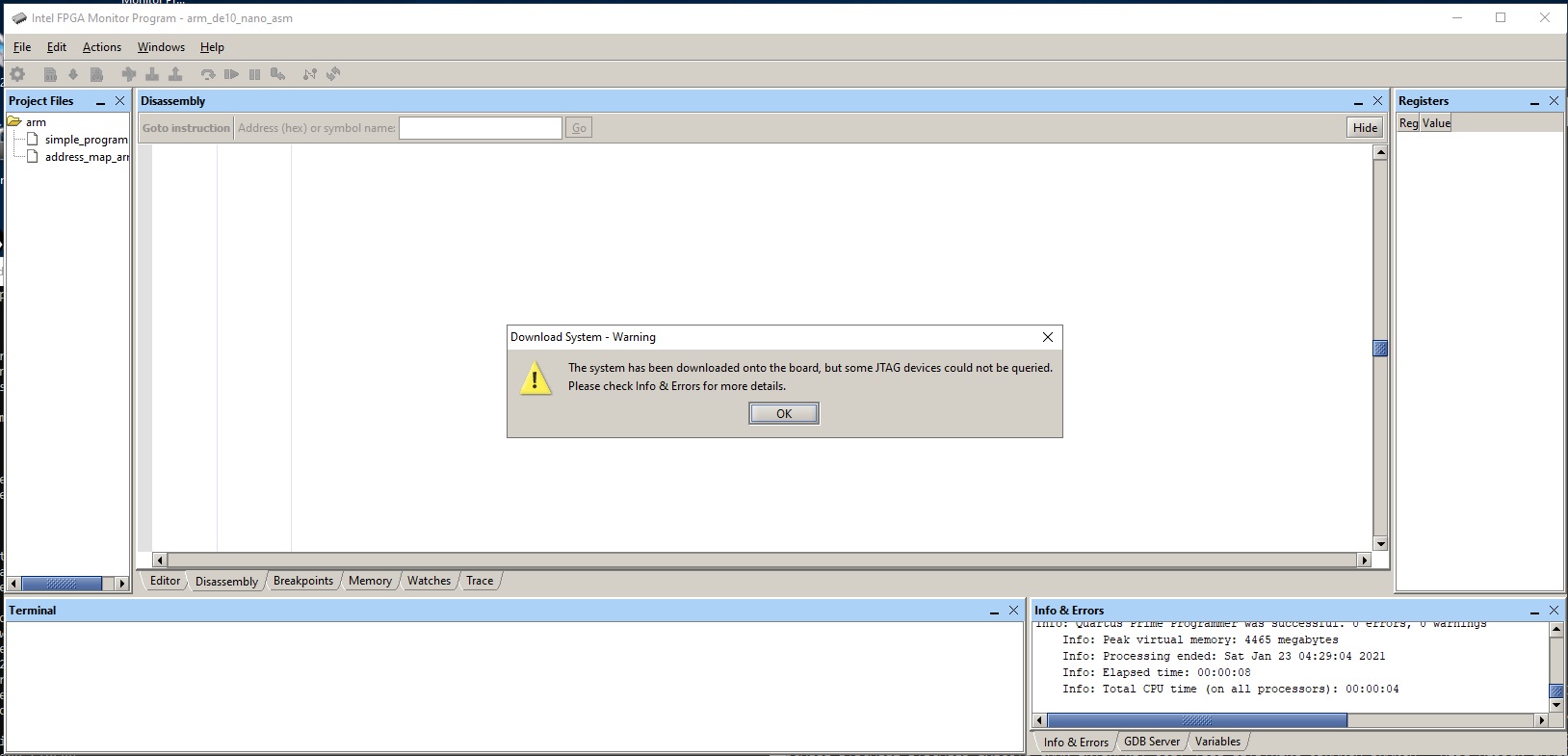
Please find attached the project file "arm_de10_nano_asm.amp", screen shot of this run "arm_de10_nano_asm-Feb-26-2021.jpg", and the Info&Errors message "arm_de10_nano_asm-Info&Errors-Feb-26-2021.txt"
It was asked how should the USB ports on the FPGA card be connected to the computer but no answers were given so all of them were connected. maybe this is the reason for the failure?
Maybe, Quartus and "Intel FPGA Monitor Program" must be installed to the default location on drive C: for "Intel FPGA Monitor Program" and the tutorial project must be at a specific location?
I am also wondering why the "Intel FPGA Monitor Program 18.1" installation put "G:\intel\FPGA\Lite\18.1\University_Program\SD_Card_Images\DE10-Nano\DE10-Nano_UBoot_SD_Rev1.img" in a zip file under "G:\intel\FPGA\Lite\18.1\University_Program\SD_Card_Images\DE10-Nano" while no SD card should be inserted into the FPGA board.
Thank you so much for you help. It is much appreciated.
BTW, are you in the "Intel FPGA Monitor Program" team?
Regards,
phiho
- Blair5 years ago
Hello,
> It was asked how should the USB ports on the FPGA card be connected to the computer but no answers were given so all of them were connected. maybe this is the reason for the failure?
You only need to connect the USB-Blaster port. It is labeled on the board. But this is unlikely the issue.
> Maybe, Quartus and "Intel FPGA Monitor Program" must be installed to the default location on drive C: for "Intel FPGA Monitor Program" and the tutorial project must be at a specific location?
I don't believe this is the issue.
> I am also wondering why the "Intel FPGA Monitor Program 18.1" installation put ...
The installer is for all university program software, not just the Monitor Program.
> BTW, are you in the "Intel FPGA Monitor Program" team?
I am a member of the Intel FPGA Academic Program team which created the Monitor Program
Can you please share a screenshot of the Monitor Program after clicking okay to the "Download System - Partial Success" dialog box seen in the screenshot that you already posted?
Kind regards,
Blair