Forum Discussion

 New Contributor
FPGA Monitor Program 18.1 Tutorial: Could not query JTAG Instance IDs. Please ensure the FPGA has be
 New Contributor
UPDATE with further info
Dear Intel Community,
The board is now run with the SD image coming with "FPGA Monitor Program 18.1" the contents described in the README.txt:
"This SD card image contains the UBoot preloader and bootloader. The preloader initializes the hardware, then launches the bootloader. The bootloader looks at the FAT32 partition of the SD card, for the following files:
fpga.rbf
program.bin
setup_environment.bin
set_vbar.bin
The fpga.rbf file is the FPGA programming file, generated by the Intel FPGA Monitor Program (or Quartus).
The bootloader automatically programs the FPGA using this file.
program.bin is the binary of the baremetal program to be executed.
Upon programming the FPGA, the bootloader loads this binary into memory and executes it.
setup_environment.bin is a file generated by the Intel FPGA Monitor Program.
This file tells the bootloader some details about the program like the entry point to the program and whether to program the FPGA (not all projects use the FPGA).
set_vbar.bin is a program that is executed by the bootloader before the user baremetal program.
This program sets the vector base address register to correspond to the location of the vector table in the baremetal program.
Note that as of 16.0, Intel FPGA Monitor Program forces the vector table to be at location 0x0 in memory."
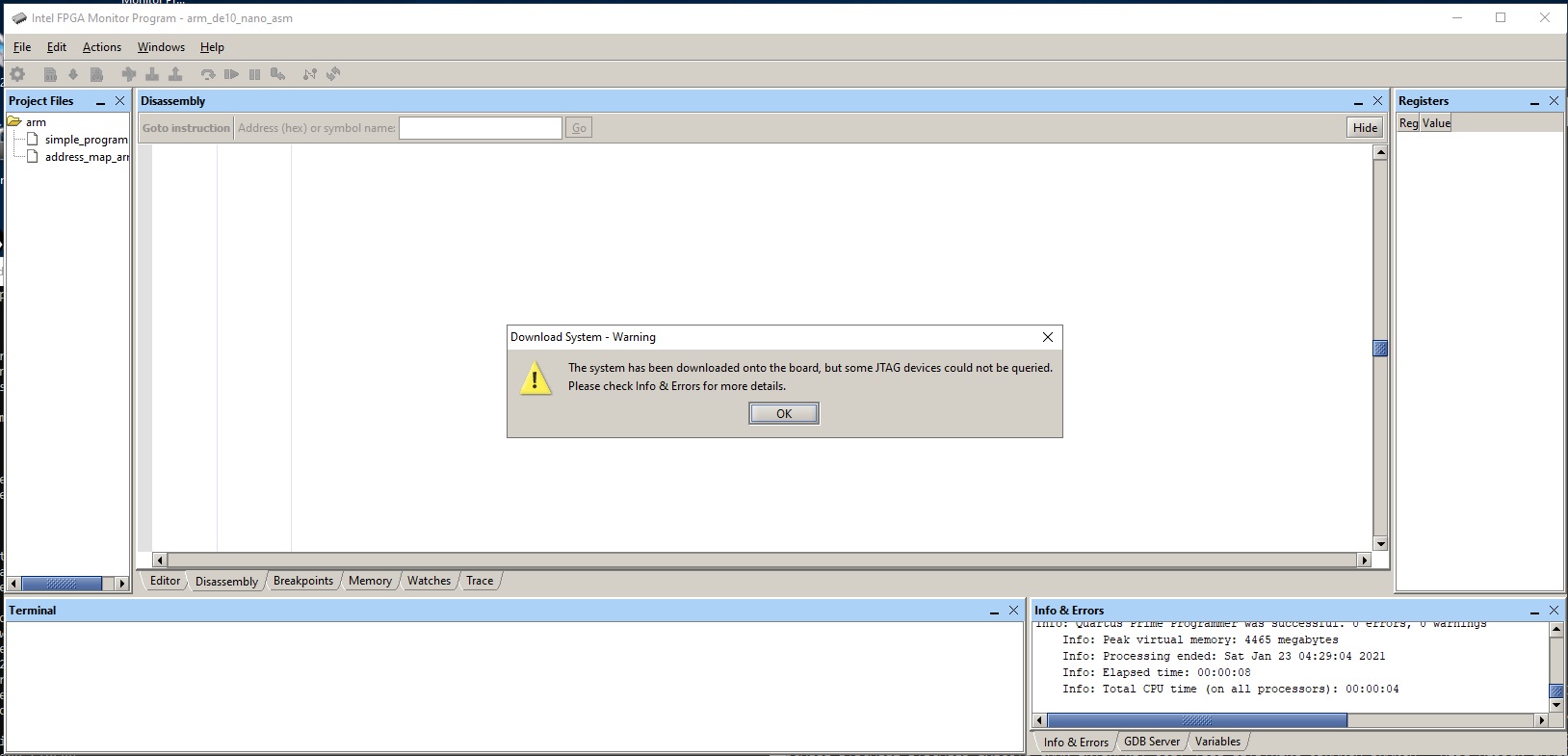
This exercise ended with a dialog box:
"The system has been successfully downloaded onto the board, but HPS components could not be configured"
The reasons for the failure:
ARM_A9_HPS_arm_a9_0 will be halted upon running the preloader. Skip halting.
ARM_A9_HPS_arm_a9_1 will be halted upon running the preloader. Skip halting.
Halting operation timed out while halting Nios2_2nd_Core
Failed to halt Nios2_2nd_Core
Halting operation timed out while halting Nios2
Failed to halt Nios2
/usr/bin/bash: quartus_hps: command not found
Timed out while waiting for preloader to finish
Preloader failed to run. HPS components may not have been configured.
Possible causes for the failure:
1. Linux SD card is inserted and Linux is running.
2. FPGA-side components are accessing HPS memory.
The full contents of the "Info & Error messages" is appended below.
I am looking forwards for your advice.
Regards,
phiho
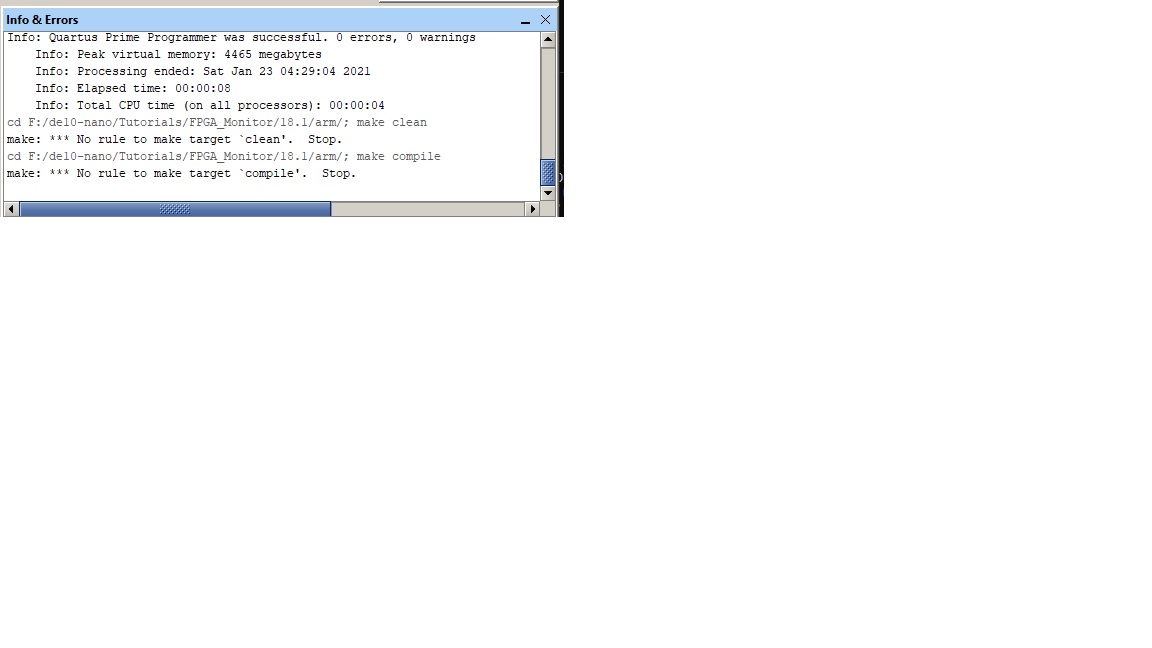
Info & Error messages:
G:/intel/FPGA/Lite/18.1/quartus/bin64/quartus_pgm -c "DE-SoC [USB-1]" --auto
1) DE-SoC [USB-1]
4BA00477 SOCVHPS
02D020DD 5CSEBA6(.|ES)/5CSEMA6/..
Info: *******************************************************************
Info: Running Quartus Prime Programmer
Info: Version 18.1.1 Build 646 04/11/2019 SJ Lite Edition
Info: Copyright (C) 2019 Intel Corporation. All rights reserved.
Info: Your use of Intel Corporation's design tools, logic functions
Info: and other software and tools, and any partner logic
Info: functions, and any output files from any of the foregoing
Info: (including device programming or simulation files), and any
Info: associated documentation or information are expressly subject
Info: to the terms and conditions of the Intel Program License
Info: Subscription Agreement, the Intel Quartus Prime License Agreement,
Info: the Intel FPGA IP License Agreement, or other applicable license
Info: agreement, including, without limitation, that your use is for
Info: the sole purpose of programming logic devices manufactured by
Info: Intel and sold by Intel or its authorized distributors. Please
Info: refer to the applicable agreement for further details, at
Info: https://fpgasoftware.intel.com/eula.
Info: Processing started: Thu Feb 04 07:48:38 2021
Info: Command: quartus_pgm -c "DE-SoC [USB-1]" -m jtag -o P;G:/intel/FPGA/Lite/18.1/University_Program/Computer_Systems/DE10-Nano/DE10-Nano_Computer/verilog/DE10_Nano_Computer.sof@2
Info (213045): Using programming cable "DE-SoC [USB-1]"
Info (213011): Using programming file G:/intel/FPGA/Lite/18.1/University_Program/Computer_Systems/DE10-Nano/DE10-Nano_Computer/verilog/DE10_Nano_Computer.sof with checksum 0x0B07E6FB for device 5CSEBA6U23@2
Info (209060): Started Programmer operation at Thu Feb 04 07:48:43 2021
Info (209016): Configuring device index 2
Info (209017): Device 2 contains JTAG ID code 0x02D020DD
Info (209007): Configuration succeeded -- 1 device(s) configured
Info (209011): Successfully performed operation(s)
Info (209061): Ended Programmer operation at Thu Feb 04 07:48:46 2021
Info: Quartus Prime Programmer was successful. 0 errors, 0 warnings
Info: Peak virtual memory: 4465 megabytes
Info: Processing ended: Thu Feb 04 07:48:46 2021
Info: Elapsed time: 00:00:08
Info: Total CPU time (on all processors): 00:00:04
ARM_A9_HPS_arm_a9_0 will be halted upon running the preloader. Skip halting.
ARM_A9_HPS_arm_a9_1 will be halted upon running the preloader. Skip halting.
Halting operation timed out while halting Nios2_2nd_Core
Failed to halt Nios2_2nd_Core
Halting operation timed out while halting Nios2
Failed to halt Nios2
/usr/bin/bash: quartus_hps: command not found
Timed out while waiting for preloader to finish
Preloader failed to run. HPS components may not have been configured.
Possible causes for the failure:
1. Linux SD card is inserted and Linux is running.
2. FPGA-side components are accessing HPS memory.
 Blair5 years ago
Hello,
For your second issue, the monitor program cannot be used when using an SD Card to boot linux. Either use the SD Card and boot linux, then connect to linux via the instructions in the tutorial "Use Linux on Terasic DE-Series Boards" (found on 'https://software.intel.com/content/www/us/en/develop/topics/fpga-academic/materials-tutorials.html') or use the monitor program.
Kind regards,
Blair
- phiho5 years ago
Hello,
<quote>
For your second issue, the monitor program cannot be used when using an SD Card to boot linux. Either use the SD Card and boot linux, then connect to linux via the instructions in the tutorial "Use Linux on Terasic DE-Series Boards" (found on 'https://software.intel.com/content/www/us/en/develop/topics/fpga-academic/materials-tutorials.html') or use the monitor program.
</quote>
You lost me here. BTW, this is a broken link :
https://software.intel.com/content/www/us/en/develop/topics/fpga-academic/materials-tutorials.html
Regards,
phiho
- Blair5 years ago
Hello,
Responding to your 3 recent posted in order that they were posted:
1) Sorry, the link got messed up (a ' was added at the end of the URL). https://software.intel.com/content/www/us/en/develop/topics/fpga-academic/materials-tutorials.html
We provide two ways to use the ARM processor on the board: i) Using an SD Card with Linux or ii) Using the Monitor Program to write 'baremetal' (no OS) programs. You cannot boot linux using an SD Card and then try to connect using the Monitor Program. To use the Monitor Program please remove any SD Card before turning the board on. Both methods are described in separate tutorials found on the page linked above.
2) You are welcome.
3) I was not able to reproduce the issue. I do remember having to fix that issue in the past. I suggest having Quartus, the Monitor Program and your project all on the same drive, just to be safe.
I'm not using a SD Card because that doesn't work when trying to use the Monitor Program. But if you want to use linux instead of the Monitor Program, I'd use the SD Card image found here: https://software.intel.com/content/www/us/en/develop/topics/fpga-academic/materials-sd-card-images.html