Forum Discussion

 New Contributor
Quartus 20.1.0 Programmer Crash
 New Contributor
Aiman,
As you suggested, this morning I uninstalled the Quartus version 20.1.0, and installed the latest Quartus Lite version 2.1.1. But the same crash occurs. (see the crash report below.)
Note that, on another board with Arria V GZ device (5AGZME3E3), the programmer is working fine. Also note that, yesterday morning, I was able to program the 10CL010YE144A7G device that I am currently having problems.
Thanks for the help.
Yong Chong
================================================================
Problem Details
Error:
*** Fatal Error: Access Violation at 0X00007FF8A42DD51D
Module: quartus.exe
Stack Trace:
0x8d51c: PGME_SFL_ALGORITHM::push_enhanced_sfl_read_siid + 0xc2c (pgm_pgme)
0x92fad: PGME_SFL_ALGORITHM::read_enhanced_sfl_siid + 0x14d (pgm_pgme)
0x99885: PGME_SFL_ALGORITHM::read_silicon_id + 0x2b5 (pgm_pgme)
0x95a01: PGME_SFL_ALGORITHM::read_jic_silicon_id + 0x151 (pgm_pgme)
0x55aa3: PGME_PROGRAMMER::get_jic_device_name_from_id + 0xd3 (pgm_pgme)
0x3699a: PGMWQ_FRAME_WND::add_child_devices + 0x14a (pgm_pgmwq)
0x388ac: PGMWQ_FRAME_WND::add_device_list + 0x15bc (pgm_pgmwq)
0x8d61c: PGMWQ_FRAME_WND::standalone_auto_detect + 0xdc (pgm_pgmwq)
0x6b453: PGMWQ_FRAME_WND::on_auto_detect_action + 0x1da3 (pgm_pgmwq)
0x1be4f: PGMWQ_FRAME_WND::qt_static_metacall + 0x16f (pgm_pgmwq)
0x11d1f0: QMetaObject::activate + 0x520 (QtCore4)
0x58fdf2: QAbstractButton::clicked + 0x32 (QtGui4)
0x346b8e: QAbstractButton::click + 0x51e (QtGui4)
0x346807: QAbstractButton::click + 0x197 (QtGui4)
0x347699: QAbstractButton::mouseReleaseEvent + 0x59 (QtGui4)
0x61dc4: QWidget::event + 0xd4 (QtGui4)
0x22f95: QApplicationPrivate::notify_helper + 0xf5 (QtGui4)
0x21b8e: QApplication::notify + 0x71e (QtGui4)
0x10e67b: QCoreApplication::notifyInternal + 0x7b (QtCore4)
0x25dee: QApplicationPrivate::sendMouseEvent + 0x1de (QtGui4)
0x869b0: QScrollBar::trUtf8 + 0x1440 (QtGui4)
0x8a361: QApplication::winMouseButtonUp + 0x2761 (QtGui4)
0xe857: CallWindowProcW + 0x3f7 (USER32)
0xe298: DispatchMessageW + 0x258 (USER32)
0x133982: QEventDispatcherWin32::processEvents + 0x3e2 (QtCore4)
0x82074: QApplicationPrivate::openPopup + 0x204 (QtGui4)
0x10b5db: QEventLoop::exec + 0x22b (QtCore4)
0x10dbbf: QCoreApplication::exec + 0xdf (QtCore4)
0x198b: qgq_main + 0x8b (quartus)
0x13258: msg_main_thread + 0x18 (CCL_MSG)
0x14a5e: msg_thread_wrapper + 0x6e (CCL_MSG)
0x16af0: mem_thread_wrapper + 0x70 (ccl_mem)
0x12af1: msg_exe_main + 0xa1 (CCL_MSG)
0x2777: WinMain + 0x127 (quartus)
0x1f40: __tmainCRTStartup + 0x148 (quartus)
0x17033: BaseThreadInitThunk + 0x13 (KERNEL32)
0x52650: RtlUserThreadStart + 0x20 (ntdll)
End-trace
Executable: quartus
Comment:
None
System Information
Platform: windows64
OS name: Windows 10
OS version: 10.0
Quartus Prime Information
Address bits: 64
Version: 20.1.1
Build: 720
Edition: Lite Edition
New ContributorI have another computer running the Quartus Standard Edition Version 18.1.0.
It has the same problem as the other 2 crashes. (see the crash report below)
===================================================================
Problem Details
Error:
*** Fatal Error: Access Violation at 0X00007FF81EB976E9
Module: quartus.exe
Stack Trace:
0x876e8: PGME_SFL_ALGORITHM::push_enhanced_sfl_read_siid + 0xc18 (pgm_pgme)
0x8d11d: PGME_SFL_ALGORITHM::read_enhanced_sfl_siid + 0x13d (pgm_pgme)
0x93845: PGME_SFL_ALGORITHM::read_silicon_id + 0x2b5 (pgm_pgme)
0x8fab1: PGME_SFL_ALGORITHM::read_jic_silicon_id + 0x141 (pgm_pgme)
0x5061d: PGME_PROGRAMMER::get_jic_device_name_from_id + 0x9d (pgm_pgme)
0x2f93c: PGMWQ_FRAME_WND::add_child_devices + 0x12c (pgm_pgmwq)
0x318d5: PGMWQ_FRAME_WND::add_device_list + 0x1655 (pgm_pgmwq)
0x8448e: PGMWQ_FRAME_WND::standalone_auto_detect + 0xce (pgm_pgmwq)
0x62728: PGMWQ_FRAME_WND::on_auto_detect_action + 0x13a8 (pgm_pgmwq)
0x164cf: PGMWQ_FRAME_WND::qt_static_metacall + 0x16f (pgm_pgmwq)
0x11c420: QMetaObject::activate + 0x520 (QtCore4)
0x58c682: QAbstractButton::clicked + 0x32 (QtGui4)
0x343d9e: QAbstractButton::click + 0x51e (QtGui4)
0x343a17: QAbstractButton::click + 0x197 (QtGui4)
0x344899: QAbstractButton::mouseReleaseEvent + 0x59 (QtGui4)
0x60794: QWidget::event + 0xd4 (QtGui4)
0x22e95: QApplicationPrivate::notify_helper + 0xf5 (QtGui4)
0x21a8e: QApplication::notify + 0x71e (QtGui4)
0x10d92b: QCoreApplication::notifyInternal + 0x7b (QtCore4)
0x25cfe: QApplicationPrivate::sendMouseEvent + 0x1de (QtGui4)
0x856f0: QScrollBar::trUtf8 + 0x1440 (QtGui4)
0x890b1: QApplication::winMouseButtonUp + 0x2761 (QtGui4)
0xe857: CallWindowProcW + 0x3f7 (USER32)
0xe298: DispatchMessageW + 0x258 (USER32)
0x132802: QEventDispatcherWin32::processEvents + 0x3e2 (QtCore4)
0x80eb4: QApplicationPrivate::openPopup + 0x204 (QtGui4)
0x10a88b: QEventLoop::exec + 0x22b (QtCore4)
0x10ce6f: QCoreApplication::exec + 0xdf (QtCore4)
0x197b: qgq_main + 0x7b (quartus)
0x12e98: msg_main_thread + 0x18 (CCL_MSG)
0x1467e: msg_thread_wrapper + 0x6e (CCL_MSG)
0x16660: mem_thread_wrapper + 0x70 (ccl_mem)
0x12761: msg_exe_main + 0xa1 (CCL_MSG)
0x24e7: WinMain + 0x127 (quartus)
0x1e58: __tmainCRTStartup + 0x148 (quartus)
0x17033: BaseThreadInitThunk + 0x13 (KERNEL32)
0x52650: RtlUserThreadStart + 0x20 (ntdll)
End-trace
Executable: quartus
Comment:
None
System Information
Platform: windows64
OS name: Windows 10
OS version: 10.0
Quartus Prime Information
Address bits: 64
Version: 18.1.0
Build: 625
Edition: Standard Edition
- YongChong5 years ago
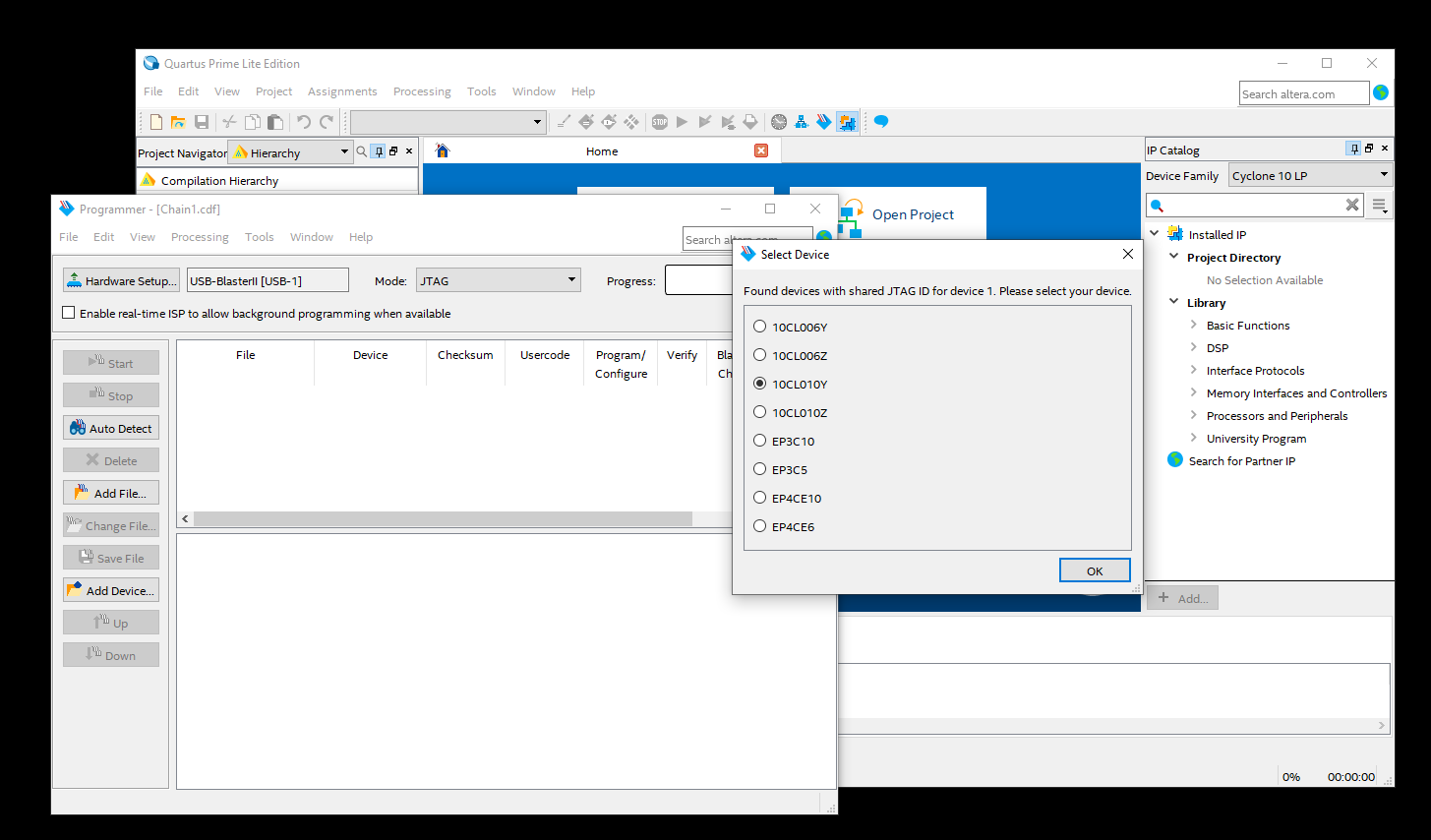
It does not seem to matter which part was chosen. Any one of these parts seems cause a crash.