Forum Discussion

Altera_Forum Honored Contributor
8 years agoHonored ContributorQuartus 13 jpg image export not working correctly ?
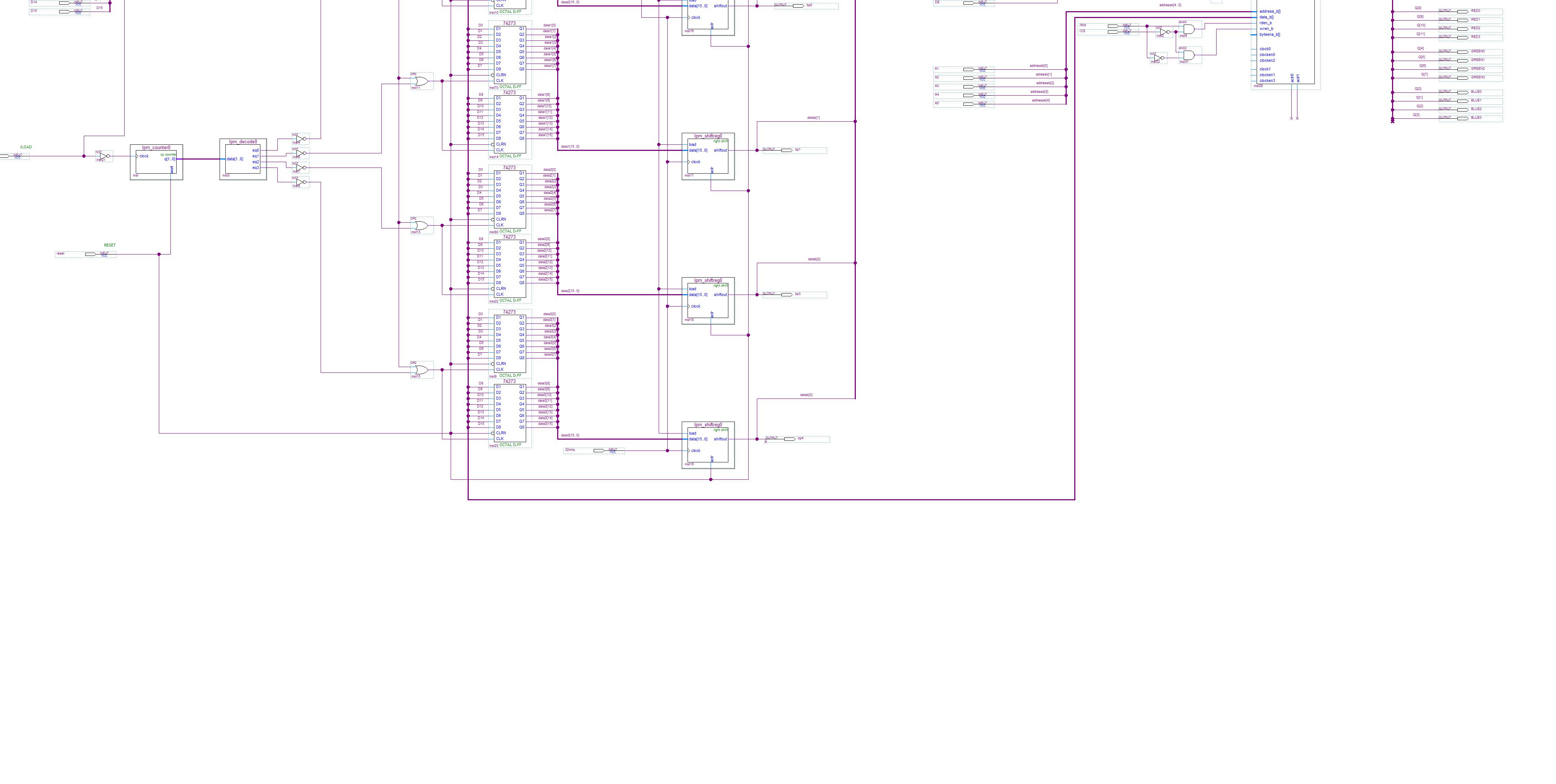
When I click on export from the file menu to export a JPEG image, it seems to totally miss off the top half of the image and I cannot figure out why..
It looks like the image size is correct, but the actual image 50% upwards in the file.. Anyone know how to solve this ? EDIT: Seems to do the same in version 17 as well :- https://alteraforum.com/forum/attachment.php?attachmentid=14220&stc=15 Replies
 Altera_Forum
Hi,
I don't see this issue from my side, can you put your design.qar here? I am using Q17.0.2std version on linux. One things you can try is cntrl + a and export it again. or export it to .bmp format. Thanks, Best regards, kentan (This message was posted on behalf of Intel Corporation)- Altera_Forum--- Quote Start --- Hi, I don't see this issue from my side, can you put your design.qar here? I am using Q17.0.2std version on linux. One things you can try is cntrl + a and export it again. or export it to .bmp format. Thanks, Best regards, kentan (This message was posted on behalf of Intel Corporation) --- Quote End --- I tried again with version 17, both JPEG and BMP, same result , that parts of the image are missing. I enclose the image and a circuit block which I used to create the image. I am using Windows 7 64 bit.
- Altera_Forum
Stupid question: when you choose to export the image, is the full circuit displayed on your monitor or is it scrolled off the edge and appears like this output you've posted? I'm pretty sure the tool would not just export an image of what's appearing on screen, but you never know.
- Altera_Forum
- Altera_Forum--- Quote Start --- Hi, I try to load your bdf, it is indeed export problem. One workaround you can do is cntl + A, move your entire logic down a bit by pressing down. You should be able to export it. Thanks, Best regards, Kentan (This message was posted on behalf of Intel Corporation) --- Quote End --- Moving it down solves the problem as you suggested, many thanks. The workaround I was using was to export using a print to image driver. This seemed to export okay other than a large blank gap at the bottom of the image.