Forum Discussion

 New Contributor
Modelsim ASE starter not directly support UVM
 5 years ago
Hi,
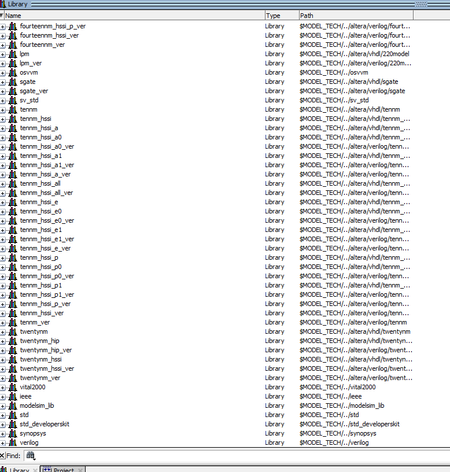
Unfortunately ModelSim does not have pre-compiled UVM features. You are probably thinking of Questa Sim.
You need to download UVM source files, you can do that here: https://www.accellera.org/downloads/standards/uvm
And you'll need to compile the uvm_pkg as well.
vlog -work work -sv -stats=none C:/work/ST/simulation/tb_captur_1.sv <uvm_pkg path>/uvm_pkg.sv +incdir+<UVM source path>/src
Regards,
Nurina
 Regular Contributor
Hi,
I used your previous method of saving the UVM source files in uvm_lib folder and it worked. As long as you specify the path of the uvm library on ModelSim then it should be fine.
I believe your installation type should be fine, as long as you have the DPI tool installed (gcc-4.2.1-mingw32vc12).
Could you try to using the following source code? That one worked for me. https://www.accellera.org/downloads/standards/uvm
 New Contributor
Hi Nurina
Good news! I found Starter Edition 20.1 can run with original UVM src (installed with modelsim). This morning I ran a wrong shortcut after a modelsim crash, I'm sorry.
Now with version 20.1, both original installed UVM src or separated downloaded source code (you suggested), can run successfully.
I will use the earlier 20.1 for current job, thanks.
I think I already have "accept as solution" for the original question, so it will be fine?
- Nurina5 years ago
Hi,
Glad your problem is solved! No problem with "accept as solution" for original question, you can also leave Kudos if you like my comment.
I’m glad that your question has been addressed, I now transition this thread to community support. If you have a new question, feel free to open a new thread to get the support from Intel experts. Otherwise, the community users will continue to help you on this thread. Thank you.
Regards,
Nurina
P/S: If you like my comment, feel free to give Kudos. If my comment solved your problem, feel free to accept my comment as solution!


