Forum Discussion

 Occasional Contributor
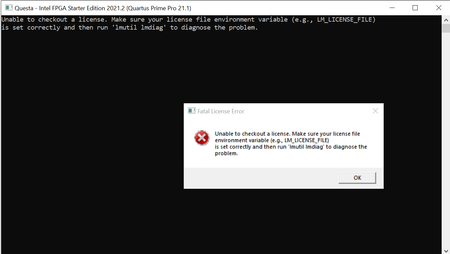
How to setup Questa Sim license file
 4 years ago
We do not receive any response from you to the previous reply that I have provided in private message mail. This thread will be transitioned to community support. If you have a new question, feel free to open a new thread to get the support from Intel experts. Otherwise, the community users will continue to help you on this thread. Thank you
 Super Contributor
Hi
Could you help re-confirm your environment variable setup again? You need to set your LM_LICENSE_FILE environment variable to point to the license that Intel provides. c:\intel\license.dat or something similar.
You can refer to link on how to set environment variable.
To make this entry, you may perform a windows Search for "System Variables" and then click on "Edit the System Environment Variables" and then click "Environment Variables". Be aware that you must add the entry in System variables, not user variables.
https://www.intel.com/content/www/us/en/docs/programmable/683472/21-4/environment-variables.html
Specifying the License for the Questa
Please note that you need to add the license file name to the environment variable path, not just the directory.


