Forum Discussion

 Occasional Contributor
DDR4 example design仿真
 5 years ago
Hi pp,
You actually doing it right.
After performing commands do msim_setup.tcl, you should perform the commands like below:
- dev_com
- com
- elab_debug
- add wave "ed_sim/*"
- transcript file transcript.txt
- run -all
I already share the run.do file at my first comment there.
It's contains the commands to simulate your design.
In order to use it,
- Copy the run.do into your msim_setup.tcl directory
- Open Modelsim
- Change directory to your msim_setup.tcl directory
- Perform do run.do in the transaction windows
Feel free to ask me when you still need some help.
Thanks,
Adzim
 Regular Contributor
Hi pp,
I hope you understand about what BruC has stated in the previous reply.
I also need to translate your issue into English.
What I understand about your issue is that you want to simulate your design in Modelsim simulator but you encounter some errors.
If that right, so first thing you need to do is to set the path to correct directory where the source file is located there.
Usually the source file is located in <project file>/emif_0_example_design/sim/ed_sim/mentor/
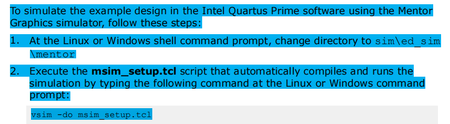
When you performing the vsim -do msim_setup.tcl, it will bring up the Modelsim.
My step to run simulation in Modelsim:
- Open the Modelsim software.
- Set the source directory to the correct path of the msim_setup.tcl file directory.
- Run run.do file that I've attached.
The run.do file contains the commands to compile and simulate your design.
You can run the commands inside the file you want to do it manually in Modelsim.
Hope that can solve your issue.
Thanks,
Adzim
 pp5 years ago
Hi adzim:
some pictures cannot be shown,Let me add my steps
1: change directory
E:\my_information\programmer_software_code\quaruts\DDR4\emif_0_example_design\sim\ed_sim\mentor
2: input command in modlesim, vism -do msim_setup.tcl
3: input command in modlesim, do msim_setup.tcl
And then there was no reaction,what should i do?


