Forum Discussion

 Occasional Contributor
DDR4 example design仿真
 5 years ago
Hi pp,
You actually doing it right.
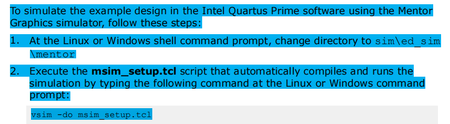
After performing commands do msim_setup.tcl, you should perform the commands like below:
- dev_com
- com
- elab_debug
- add wave "ed_sim/*"
- transcript file transcript.txt
- run -all
I already share the run.do file at my first comment there.
It's contains the commands to simulate your design.
In order to use it,
- Copy the run.do into your msim_setup.tcl directory
- Open Modelsim
- Change directory to your msim_setup.tcl directory
- Perform do run.do in the transaction windows
Feel free to ask me when you still need some help.
Thanks,
Adzim

 New Contributor
Hello, pp.
Thank you for posting in the Intel Community Support forums.
请注意,我仅能以英文提供支持。我使用了一个网络翻译工具来翻译此响应,因此,可能有一些不准确的翻译。
Please be informed that I can only support you in English. I have used a web translation tool to translate this response hence, there may be some inaccurate translation.
We have a specialized community section for Intel Quartus Prime software, I will move your threads there so they can be answered as soon as possible.
Best regards,
Bruce C.
Intel Customer Support Technician


