Forum Discussion

 Occasional Contributor
Quartus 18.1 + NiosII F on CyclomV : boot fails!
 7 years ago
Hello sir,
Kindly check the following items:
1- Make sure you use a clock source to Serial Flash controller IP (EPCQ) up to 25MHz (MAX).
2- Make sure your Nios II is running at 50MHz.
3- Make sure the MSEL is pointing to the correct flash configuration:
If using QUAD, MSEL should be 10010
If using STANDARD, MSEL should be 10011
Please let me know if this could help you.
Thanks
 Frequent Contributor
Hello,
If you are looking to boot Nios II from On chip memory (so you can debug in future), you can set the reset and exception vector to onchip memory. then, you can create the hex file from Eclipse. Come back to Qsys, and initialize the Nios II on chip memory with that hex file ( instead of the default initialization).
You need to Enable non-Default initialization file, and select the user created initialization file to the new hex that you have created in EDS.
In EDS, if you go to your application folder and create the hex, you will be able to see something like this:
For example, the soc_system_ocram.hex will be used for on chip memory initialization. the trick is you should select the hex file that reflects your on chip memory name in Qsys (please note this is the same memory that you used in reset and exception vectors).
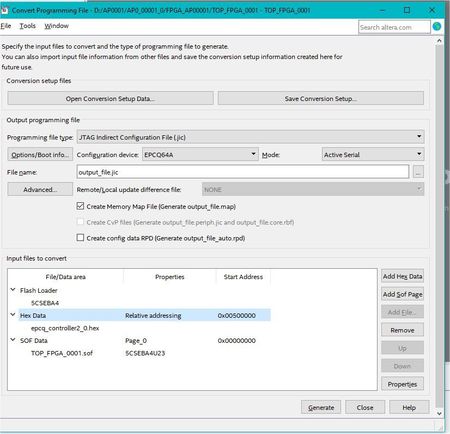
Another file needs to be added to Quartus project is meminit.qip. Once added, you can compile Quartus. The generated sof file should contain the hex within it (no need to add the hex). Now proceed with the JIC creation (add the sof only) and program the FPGA.
Hope this might help.
Thanks

