Forum Discussion

 Occasional Contributor
Nios-V C++ Debug Problem
 11 months ago
Hi Balerion,
Our team have contacted with Ashling, and they have provided the solution to this issue. The latest Ashling* RiscFree* IDE v25.2.1 (version dated 09 May 2025) have resolved this issue.
You may download it separately from Quartus® Prime Pro Edition Installer for software version 25.1.1 download link.
- Click on the link.
- Select your Operating System.
- Download and launch the Installer.
- Select and install these only:
- Add-ons and Standalone Software > Ashling* RiscFree* IDE for Altera
- Add-ons and Standalone Software > Quartus® Prime Pro Edition Programmer and Tools
And use it with your Quartus® Prime Pro Edition software version 24.3.
Note: Refrain from using the 25.3 installer. It is just discovered that it is packaged with an older RiscFree IDE (version dated 31st Jan 2025). Which still have this C++ debug issue.
Regards,
Liang Yu
 Occasional Contributor
Hi,
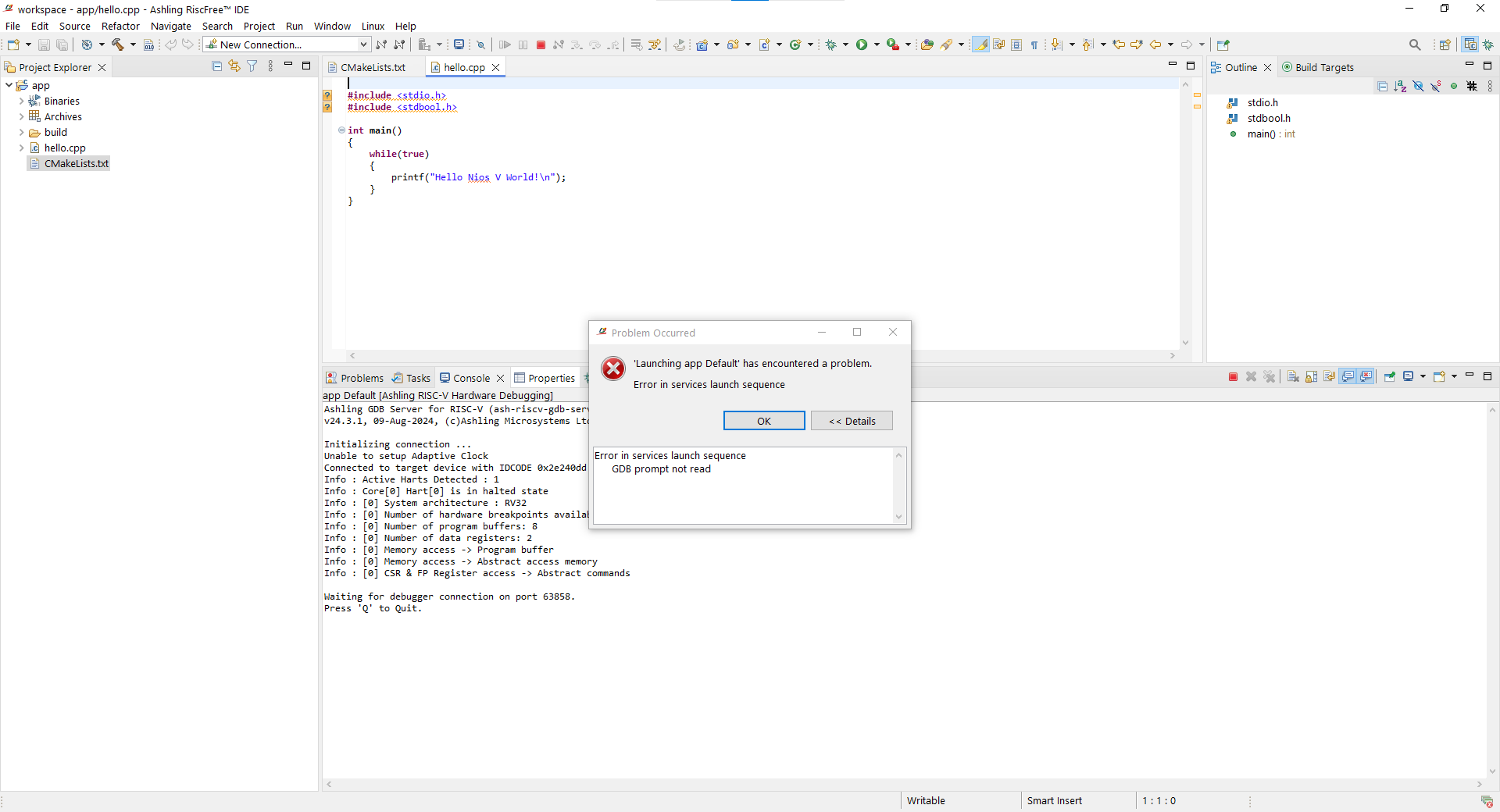
I am using Quartus 24.3 Pro and Windows 10. I added some ss to the attachment. The first one c.png shows the app project that is created with niosv-app command and hello.c. It is working I can debug it. However the second one cpp.png is not working I am not able to debug it. I created that with same command niosv-app but the source file was hello.cpp. I need to debug a cpp project. Could you please help me?
Thanks,
Balerion