Forum Discussion

 New Contributor
USing VCS RTL Simulation from quartus pro generated code

 Super Contributor
I think you are using the incorrect command.
Try using sh vcsmx_setup.sh instead.
source vcsmx_setup.sh is for sourcing the Synopsys VCS MX Simulator Setup Scripts.
Go through the Questa Quick Start then you will understand the simulation flow.
 New Contributor
HI,
I thinks that we are not same page.
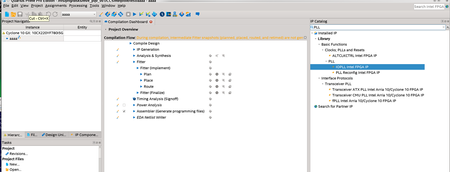
Can you see attachment from Quartus pro
Just generated one PLL which name is test.
In there, there are script for vcs_mx.
1) Script said
source ~~~~~~/vcsmx_setup.sh
--> NOT WORKING ( My problem to run simulation)
2) The template is not said as
Intel Quartus Prime Pro Edition User Guide: Third-party Simulation
Even same Quartus prime pro version as doc,
Why generated script file contents is not same?
Would check it again?
Thanks
- RichardT_altera4 years ago
For those who come across similar issue:
To run simulation on the design:
- Go to synopsys/vcsmx
- Type sh vcsmx_sim.sh
- A DVE gui will popup:
- Click on Simulator> Setup, change the Simulator argument to -ucligui and Click OK
- After that, click on Signals>Add to waves >New wave view to generate waveform window
- Click on the Start/Continue (F5) –see the circled arrow to run the simulation
- The simulation will run till finish with the waveform is updated with the signals in the tb as shown below
With that, I will now transition this thread to community support. If you have a new question, feel free to open a new thread to get the support from Intel experts. Otherwise, the community users will continue to help you on this thread. Thank you.
Best Regards,
Richard Tan
p/s: If any answer from the community or Intel support are helpful, please feel free to give Kudos.


