Forum Discussion

 Honored Contributor
NiosII on StratixII
Hi to everyone,
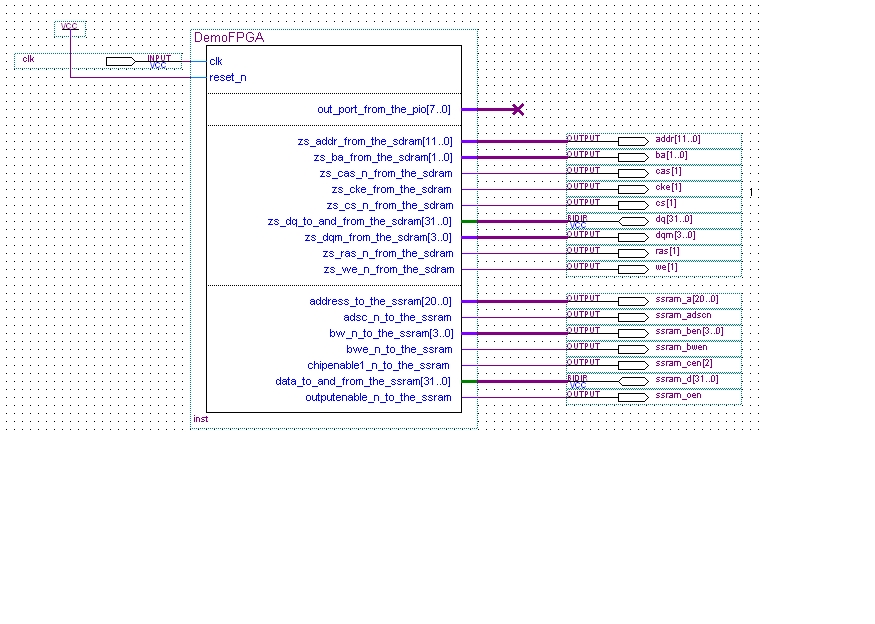
I have a StratixII NiosII Development Kit Ver 6.0 (this -- > http://www.altera.com/literature/manual/mnl_nios2_board_stratixii_2s60.pdf with EP2S60F672C5 ). With SOPC Builder I made the NiosII ( NiosII/f wihtout MMU, timer, uart, lan91c111, jtag_uart, Flash memory, CompatFlash, Sdram Controller, Avalon-MM Tristate Bridge). After I assigned pin with pin planner (I used this pinout http://www.altera.com/literature/manual/mnl_nios2_board_stratixii_2s60.pdf (http://www.altera.com/literature/manual/mnl_nios2_board_stratixii_2s60.pdf)). Now the problem show up during the fitting :Info: Device migration not selected. If you intend to use device migration later, you may need to change the pin assignments as they may be incompatible with other devices
Info: Device HC220F672M is compatible
Info: Device EP2S15F672C5 is compatible
Info: Device EP2S30F672C5 is compatible
Info: Device EP2S60F672C5ES is compatible
Info: Fitter converted 1 user pins into dedicated programming pins
Info: Pin ~DATA0~ is reserved at location E16
Error: Can't place pins assigned to pin location Pin_E16 (IOC_X26_Y52_N1)
Info: shared_data_bus is assigned to pin location Pin_E16 (IOC_X26_Y52_N1)
Info: Pin ~DATA0~ is assigned to pin location Pin_E16 (IOC_X26_Y52_N1)
Info: Fitter preparation operations ending: elapsed time is 00:00:00
Info: Parallel compilation was enabled but no parallel operations were performed
Error: Quartus II I/O Assignment Analysis was unsuccessful. 1 error, 0 warnings
Error: Peak virtual memory: 236 megabytes
Error: Processing ended: Tue Jun 02 16:06:18 2009
Error: Elapsed time: 00:00:03
Error: Total CPU time (on all processors): 00:00:03................
shared_data_bus : B12 : bidir : 3.3-V LVCMOS : : 9 : N
.....................
~DATA0~ / RESERVED_INPUT : E16 : input : 3.3-V LVCMOS : : 3 : N
.....................
9 Replies
 Altera_Forum
- Altera_Forum
I find the problem. I'm a idiot I forget to link the sdram clock pin.....sorry XD. Thx to everyone.
- Altera_Forum
No, I've tryed to put it in sdram memory.....The on-chip memory works well. I've also tryed to write in sdram with tools in SOPC Build (System Console) but didn't work ( I had to stop the cpu with processor_stop command ).
- Altera_Forum
Did you put the memory test software in on-chip memory, instead of the sdram?
- Altera_Forum
I've tryed to run the MemTest but I received the same error during the download . Any suggestion ?
Could be a pinout error ? I used Nios2-ide (8.0) Windows.Using cable "USB-Blaster ", device 1, instance 0x00 Pausing target processor: OK Reading System ID at address 0x040230B8: verified Initializing CPU cache (if present) OK Downloading 03000000 ( 0%) Downloading 03010000 (70%) Downloaded 91KB in 0.7s (130.0KB/s) Verifying 03000000 ( 0%) Verify failed between address 0x3000000 and 0x300FFFF Leaving target processor paused - Altera_Forum
But I think that the problem isn't the timing, because during the design of Nios with SOPC Builder, for sdram controller I use the Micron MT48LC4M32B2 controller which don't let you to change any setting. Is it right ?
- Altera_Forum
Hi Campo:
This is a classic memory error type of failure. It's most likely caused by incorrect or non-existent IO timing setup in the SDF for the memory interface. One way to test this, is I like to make a "Special" build with a large TCM (tightly coupled memory) that I run the "Memory Test" example code base out of. As long as the internal timing is met, you can be sure the TCM will function, then you can validate the external memory to make sure it works, before you try to load code and run it from the external memory. Pete - Altera_Forum
Ok, It worked. Now I've another problem. I've tryed to run a uClinux kernel in my nios processor. I've compiled the kernel and I've tryed to run it (http://www.nioswiki.com/operatingsystems/uclinux/uclinuxdist, but I've received :
The processor is in attachements. I used nios2eds 8.0 for linux$ nios2-download images/zImage Using cable "USB-Blaster ", device 1, instance 0x00 Pausing target processor: OK Initializing CPU cache (if present) OK Downloaded 1268KB in 10.9s (116.3KB/s) Verifying 03500000 ( 0%) Verify failed between address 0x3500000 and 0x3502A65 Leaving target processor paused - Altera_Forum
My previous post didn't seem to post, so I'm doing a quick post so you get the data.
Configuration pins are reserved, and have issues, but you can use them as IO in normal mode. You need to tell Quartus this by selecting the following: Assignments->Device->Device and Pin Options->Dual-Purpose Pins: Then select Data[0] and set the value to "Use as regular I/O". This should allow your fitting to complete, but you need to make sure you don't have bus contention with your configuration device, once you are in running mode. Pete