Forum Discussion

Altera_Forum Honored Contributor
9 years agoHonored ContributorHow to create filesystem for linux4 with nios2
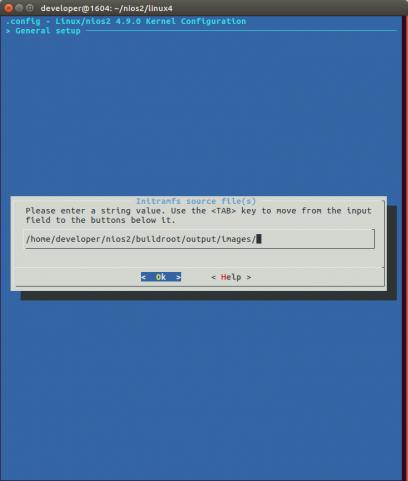
I get kernel panic likely because I don't have a filesystem. I don't know how I should enable it. I see in menuconfig there are option for the RAM filesystem and I tried setting that both to explicit...

Altera_ForumHonored Contributor
9 years agoHonored ContributorFirst way:
Run portmap before mount command: portmap & mkdir /mnt/nfs mount -t nfs -n -o nolock,rsize=1024,wsize=1024 192.168.1.2:/home/nios2 /mnt/nfs ( eg, server ip 192.168.1.2) Second way: add fstab in [/nios2-linux]/uClinux-dist/vendors/Altera/nios2/ and edit the Makefile to have a copy in /etc in kernel image. Content of fstab: # /etc/fstab: static file system information. # # <file system> <mount point> <type> <options> <dump> <pass> 192.168.1.2:/home/nios2 /mnt/nfs nfs rsize=1024,wsize=1024,noauto,nolock 0 0 Now you can access the mount point with: portmap & mkdir /mnt/nfs mount /mnt/nfs Or you could add these lines in [/nios2-linux]/uClinux-dist/vendors/Altera/nios2/rc to mount it automatically at startup Then Nios II client can access files on /home/nios2 of server through /mnt/nfs mount point. The mount command in sash does not support nfs mount. You may use the busybox "mount", and enable the "nfs support" in busybox "mount". You may enable "cp" in busybox, which can support recursive copy. You need to clean up busybox, with "make -C user/busybox clean" , "make" "make romfs" and "make linux image" to rebuild kernel image. pes university bangalore fee structure (http://www.admissionpro.in/pes-university-bangalore-fee-structure-nri-direct-management-quota.html) reva institute of technology and management bangalore management quota (http://www.admissionpro.in/reva-institute-of-technology-and-management-bangalore-fee-structure-nri-direct-management-quota.html)