Forum Discussion

Dayana New Contributor
3 years agoNew ContributorHelp with running Intel High Level Synthesis Design Example on Windows
Hi,
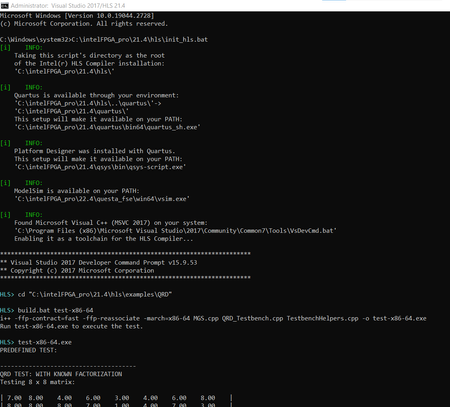
I am trying to run an Intel HLS Compiler design example on Windows by following the "Running an Intel® HLS Compiler Design Example (Windows)" guide.
I tried the "counter" and "QRD" examples ...
 3 years ago
Thanks for your help Hareesh.
Just a summary:
- The error:
HLS Generate component ipxact for Platform Designer FAILED.
was solved by downloading and installing the Intel Arria 10 Device Support from https://www.intel.com/content/www/us/en/software-kit/706105/intel-quartus-prime-pro-edition-design-software-version-21-4-for-windows.html under the Individual Files, Devices section. - The error:
Error: Cosim testbench elaboration failed
&
# ** License Issue: License request for intelqsimstarter feature failed
# ** License Issue: Cannot checkout an uncounted license within a Windows Terminal Services guest session. (C:\flexlm\LR-118484_License.dat)
# ** Error: Failure to obtain a Verilog simulation license. Unable to checkout 'intelqsimstarter' license.
# ** Error: Error loading design
was solved by running the HLS test example on the local computer instead of remotely as I am using a fixed license and a floating license is needed for remote use.
- The error:

hareesh Frequent Contributor
3 years agoFrequent ContributorHi,
actually, it's LM_LICENSE_FILE environment variable issue. please follow the below steps to set environment variable.
in windows, START menu => view advanced system settings
system properties will pop up. in this window
Advanced => Environment Variables
Environment Variables window will pop up
in that widow, under the User variables for "user_neme" click on new.
there give LM_LICENSE_FILE in Variable name option. next, click on browse the file and select your license file.
after completing these steps open the cmd window and try to execute the example project.
i attached my complete steps screenshots and cmd terminal log file. please follow these steps and update the status of the issue.


