Forum Discussion

 New Contributor
F-Tile debug toolkit not loading properly
 New Contributor
Hi again,
I've tried creating a directory in the user location where the TCL script (ftile_pysv_driver_pkg.tcl) is trying to create it and it's still failing with permission denied. My question is why doesn't it try to create the temp directory on the project directory where the system console is being invoked from? And also if that's the case is there any way to point the TCL script to the desired directory?
Just to elaborate the failing process of the script is below:
proc temp_dir { } {
set fd [file tempfile temp]
close $fd
file delete $temp
set temp_no_slash [regsub -all {\.} $temp ""]
file mkdir $temp_no_slash
#dprint 1 "Temporary directory @ $temp"
return $temp_no_slash
}
After running the set temp_no_slash [regsub -all {\.} $temp ""] on the system console I'm getting the following result:
C:/Users/VASILE~1ANA/AppData/Local/Temp/TCL63582TMP
And the the file mkdir command is failing.

 Regular Contributor
Hi ,
Normally within C drive it will be fine.
We have latest version of Quartus which is v24.3.1 , is it possible for you to try on that version ?
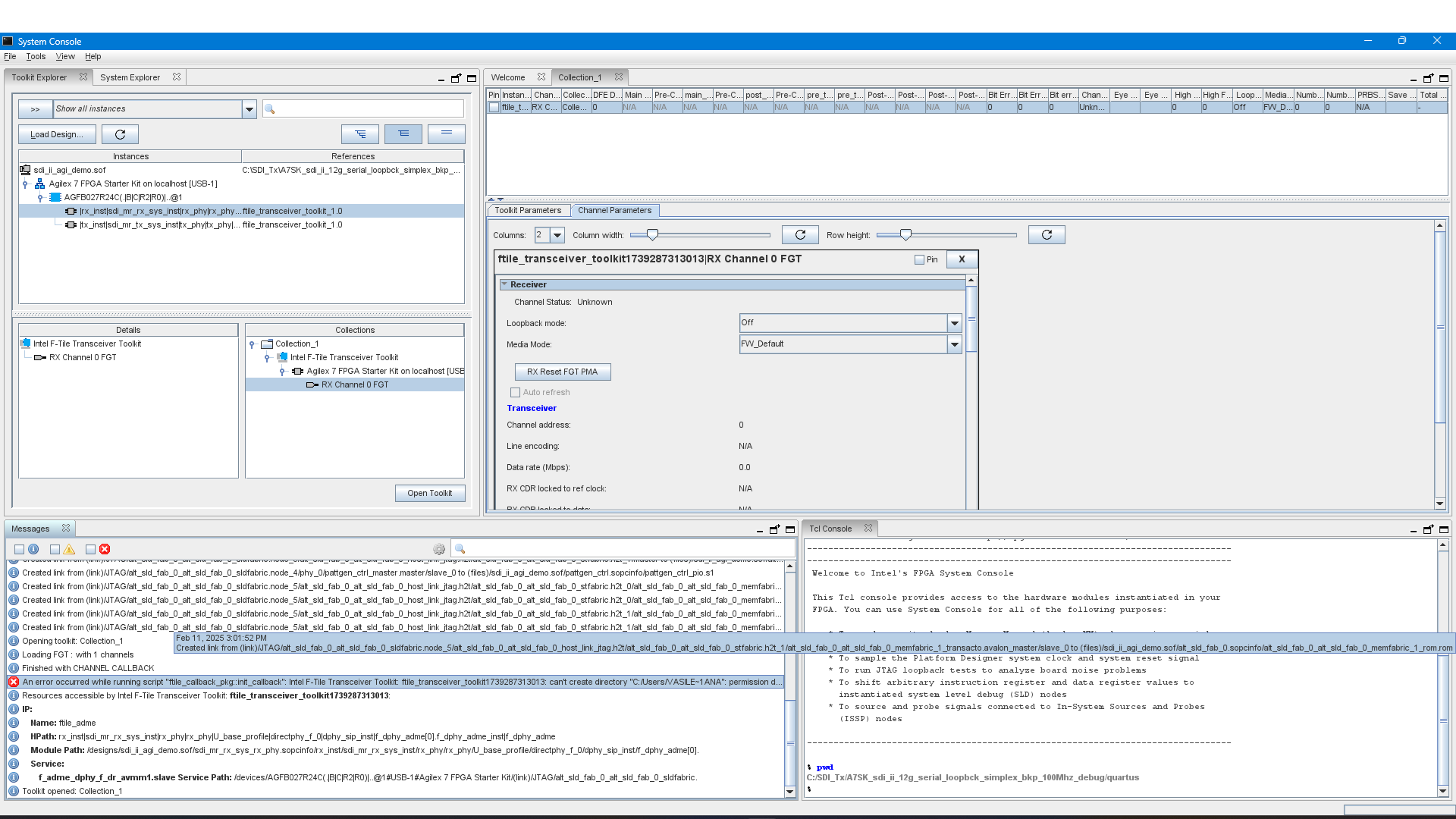
After adding the FGT instance to a new collection and press the "Open Toolkit" button, I'm getting the following error on the System Console:
>> Just try to understand from you, if purely from the design example without adding FGT, the toolkit work fine , am I correct on this ?
Regards,
Wincent_Altera