Forum Discussion

 Occasional Contributor
Data arrival Path in timing analyser
 Occasional Contributor
Hi sstrell,
Thank you for your help!
The first-bit adder is actually assigned myself using set_location_assignment (...)
These names actually matche the one in post-fit technology map, which I have attached for your references.
However, timing analyser shows that the data arrival path is not the same as the one in technology map viewer. If as you mentioned, they are just names, then the name in timing analyser indeed matches the one in technology map viewer and the one in .qsf file.
May I ask what is "location column"? Did you mean the resource property editor, or something else?
Thanks!
Mingqiang

 Super Contributor
I mean the Location column in the Timing Analyzer, like what you show in the Data Required Path section in your first screenshot. Physical locations use a coordinate system: FF_X37_Y3_N58 for example.
#iwork4intel
- cosx6 years ago
Ah, I got your point. I have attached my newest timing analyser for your reference.
As you can see in the graph, the data goes from N0 to N30. However, in the chip planner's actual placement, it should go to N3 as shown in picture below. Op_1~74 is located in LABCELL...N3 and should be connected to the op 78 at N0.
Yet timing analyser shows different paths, meaning that connections from N3 to N27 goes wrong.
You can see my newst graph that i used logiclock region to constrain this adder but does not achieve what I want.
May I ask why the paths in chip planner and in timing analyser are different? How to solve this problem?
Thank you very much!
Mingqiang
- sstrell6 years ago
I'm not seeing what you're saying (and I don't see N27). The easiest way to correlate between the timing analyzer and the Chip Planner is to right-click the path in the timing analyzer and select Locate Path -> Locate in Chip Planner. This will show arrows in the Chip Planner that show connections. You'll also see the individual elements of the path in the Chip Planner in the Locate History section. Double-click any path in the Locate History to have it highlighted in the Chip Planner.
Also, since you are attempting manual placement of elements (usually not recommended), you should check compilation warnings to see if there are any issues with the placements you've made.
What is your ultimate goal here? Most folks don't go down to this level of detail for resource placement.
#iwork4intel
- cosx6 years ago
Hi there,
Thank you for the advice and after following this advice, I got the path below:
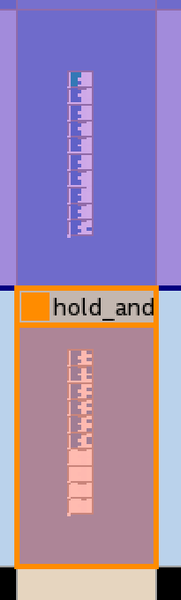
Indeed the routing does not go as I expected. You can see starting from the register in the blue area, it goes through a cell and goes to the first adder at the logic lock region "delay_adder".
Instead of traversing through the adder one by one, the arrow jumps to the 5th block where the 10th bit adder is located and then pass the next adder one by one until reaches the last register.
May I kindly ask how to constrain the route through all 20 bits of the adder?
Thank you!
Mingqiang


