Forum Discussion

 Occasional Contributor
Data arrival Path in timing analyser

 Super Contributor
Those are just names assigned by the tool, not physical resources. Check the Location column, not the Element column. There could also be optimizations happening depending on your implementation. And use the post-fit Technology Map Viewer for an easier to use view of how specific resources are connected together.
#iwork4intel
 cosx6 years ago
Hi sstrell,
Thank you for your help!
The first-bit adder is actually assigned myself using set_location_assignment (...)
These names actually matche the one in post-fit technology map, which I have attached for your references.
However, timing analyser shows that the data arrival path is not the same as the one in technology map viewer. If as you mentioned, they are just names, then the name in timing analyser indeed matches the one in technology map viewer and the one in .qsf file.
May I ask what is "location column"? Did you mean the resource property editor, or something else?
Thanks!
Mingqiang
- sstrell6 years ago
I mean the Location column in the Timing Analyzer, like what you show in the Data Required Path section in your first screenshot. Physical locations use a coordinate system: FF_X37_Y3_N58 for example.
#iwork4intel
- cosx6 years ago
Ah, I got your point. I have attached my newest timing analyser for your reference.
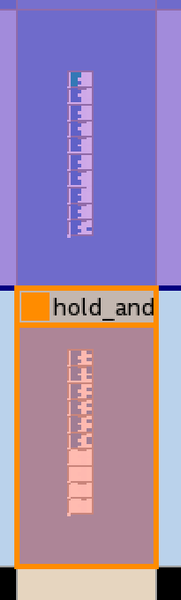
As you can see in the graph, the data goes from N0 to N30. However, in the chip planner's actual placement, it should go to N3 as shown in picture below. Op_1~74 is located in LABCELL...N3 and should be connected to the op 78 at N0.
Yet timing analyser shows different paths, meaning that connections from N3 to N27 goes wrong.
You can see my newst graph that i used logiclock region to constrain this adder but does not achieve what I want.
May I ask why the paths in chip planner and in timing analyser are different? How to solve this problem?
Thank you very much!
Mingqiang


