Forum Discussion

 New Contributor
How to use FPGA-to-hps free clock as HPS clock source?

 Frequent Contributor
Hi,
As we do not receive any response from you on the previous question/reply/answer that we have provided. Please login to ‘https://supporttickets.intel.com/s/?language=en_US’, view details of the desire request, and post a feed/response within the next 15 days to allow me to continue to support you. After 15 days, this thread will be transitioned to community support. The community users will be able to help you on your follow-up questions.
But to illustrate again , do follow these steps
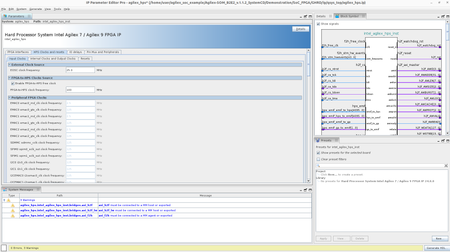
Enable the FPGA-to-HPS Free Clock: In the input clocks tab, enable the FPGA-to-HPS free clock. This will allow you to use it as a clock source (which enabled but just reconfirm)
Select the Clock Source: Choose the FPGA-to-HPS free clock as the source for the main and peripheral reference clocks in the internal and output clock tab in the HPS IP (which already enabled but do confirm this)
Configure the PLL: Ensure that the PLL (Phase-Locked Loop) is properly configured to lock onto the FPGA-to-HPS free clock. This might involve setting the correct parameters for the PLL to achieve a stable lock.
Check Connections: Verify that all connections to the HPS-FPGA bridges are correctly configured. This includes ensuring that the bridges are enabled and properly connected.
Debugging: If you encounter issues such as the PLL not locking, check the error logs and warnings related to the bridges and clock configurations.
Thanks
Regards
Kian


