Forum Discussion

 Contributor
FW_CODE_NOT_WORKING_WHEN_CONFIGURED_FPGA_WITH_JIC_PROGRAMMING

 Regular Contributor
Hi,
With your Exception Vector (RAM IP settings) set to OCRAM, you need your BSP as follows:
Re-build the BSP and project, and re-generate the new .hex using the "mem_init_generate" tools.
Replace your .hex with this new .hex (with above BSP settings) in Platform Designer and create your new .jic and re-try.
 Contributor
Hi Eberlazare,
I have tried with the settings you have mentioned in above response, with that also firmware controlled led is not working.
the setting which i have used:
and i have one doubt that two hex files are generated in mem_init folder, i am using epcq hex file only for generating the jic file programming. Is that correct only right?
- EBERLAZARE_I_Intel2 years ago
Hi,
I think it is because of your Reset Vector offset in your first post, for EPCQ, you need to have offset address for your application as the .jic will also have the .sof at 0x0, so you do not want to overlap it. Anyway, you can find the info here:
https://www.intel.com/content/www/us/en/docs/programmable/683689/current/reset-and-exception-vector-settings.htmlYou can determine the minimum reset vector offset by using the following equation:
minimum reset vector offset= (.sof image start address + .sof image size) in HEX
You can also try as per the document, set the Reset Vector offset to "0x01E00000".With that, you need to regenerate the Platform Designer to get the new ".sopcinfo" file and use it to create the new BSP and project.
To confirm you have the Reset Vector offset changed, you can view them when you add in the ".hex" when you try to create the ".jic" file:
- SERMASWATHIKA2 years ago
Hi,
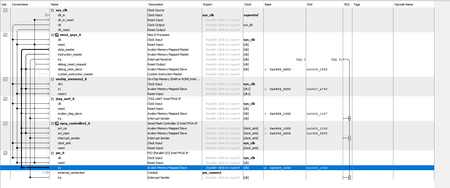
We have tried as per the steps you have mentioned in previous response. But relative address is not reflecting in the jic file generation.
reset vector offset is changed in nios ii parameter settings ,
hex data parameter is
we have tried with this , but firmware part is not working. Can you please guide us to resolve this as we have less time to give commitment to customer.
- EBERLAZARE_I_Intel2 years ago
Hi,
You need to create a new BSP and project in Nios II SBT, with the new .sopcinfo which has the address set.

