Forum Discussion

 Contributor
factory reset of 10AX dev kit
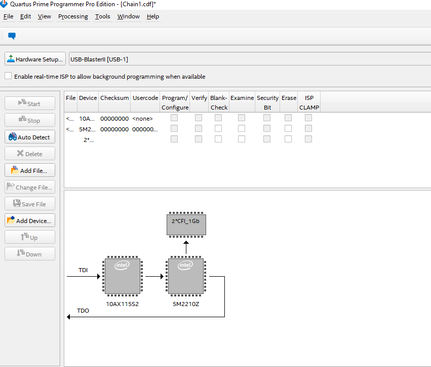
 4 years ago
Hello David,
Before we start debugging, I want to to make sure the board you have in hand now.
Could you please confirm if this is the board you have?
link : https://www.intel.com/content/www/us/en/docs/programmable/683526/current/general-description.html
regards,
Farabi
 Regular Contributor
Hello David,
Before we start debugging, I want to to make sure the board you have in hand now.
Could you please confirm if this is the board you have?
link : https://www.intel.com/content/www/us/en/docs/programmable/683526/current/general-description.html
regards,
Farabi
 Contributor
follow the instruction
To do a factory reset, follow these steps:
1. Set the board switches to the factory default settings described in ¡°Factory Default Switch Settings".
2. Open GUI application "BoardTestSystem.exe"
a. Launch NIOS II command shell, change to directory *\examples\board_test_system\, and then type in "./BoardTestSystem.exe" to open the GUI
b. Change to directory *\examples\board_test_system\, and then double click "BoardTestSystem.exe" to open the GUI
3. Select "Restore -> Factory Restore".
4. Set the correct board information and then click restore. Please note the restore process takes about 10 minutes.
when execute
BoardTestSystem.exe
a system Error pop up, says
the code execution cannot proceed because mfc100dll was not found, reinstalling the program may fix this problem.
reinstall which program?
Thank you for help.
David


