Forum Discussion

 New Contributor
Corrupted Early Power Estimator (EPE) for Cyclone V (epe_zlib_64bit.dll not found)
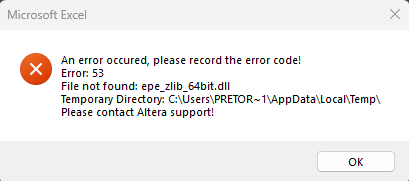
 New Contributor
I seems the issue isn't solely Intel’s side; I found this link:
(it references another thread that i haven't found)
But it seems like excel has changed the way it references dll files and so these files will be broken on all up-to-date systems until intel update their excel files.
I'm using windows 10 and office 365 excel and have the same experience of everything working a couple months ago and then all my historic and freshly downloaded files giving errors.
The sheet is password protected and so i can't go in and change the vb code to change the reference to the dll, and guess intel don't want a discussion on how to bypass this. But as it will affect all files that references a dll (so assume all intel’s exl file) we should see an update soon. I'm using the MAX 10 for example.

