User Profile

zhangyi17
 New Contributor
Joined 7 years ago


User Widgets
Contributions
Re: Problem following I2C Remote System Upgrade Example (Max 10)
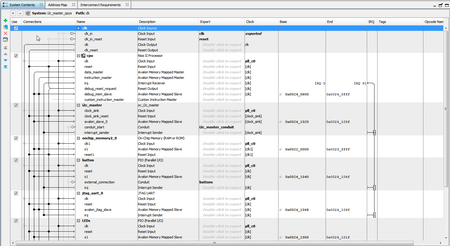
The user guide (attached) for this lab explicitly connected a PC with COM port to the UART port on the Eval board via a USB/UART converter. In the qsys design, there is no UART at all. How is this suppose to work then?4.2KViews0likes0CommentsRe: Problem following I2C Remote System Upgrade Example (Max 10)
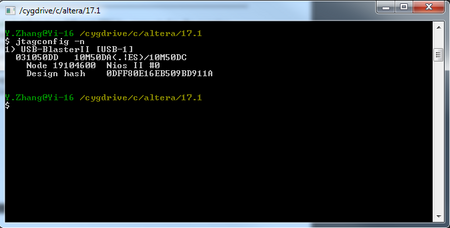
Another thing. I issued jtagconfig –n command in Nios II Command Shell and get the following reply: It seems to say that I have a Nios II processor with JTAG debug module, but I don't see a node number 0x0C006Exx in the response. This seems to suggest that there's no JTAG UART component?4.2KViews0likes0CommentsRe: Problem following I2C Remote System Upgrade Example (Max 10)
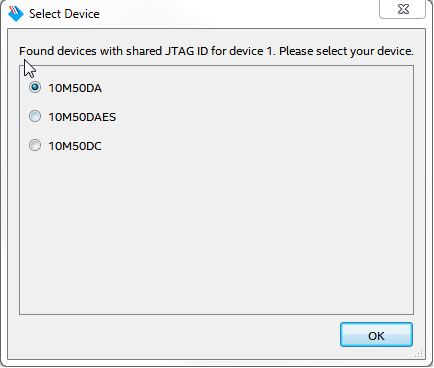
More information. In the User guide, it specifically said "Click “Auto Detect” and select the 10M50DAES." The actual chip on the Max 10 Development Kit is actually a 10M50DAF484. So, should I choose 10M50DAES as it stated in the document or choose 10M50DA? Or it doesn't matter??4.2KViews0likes0CommentsProblem following I2C Remote System Upgrade Example (Max 10)
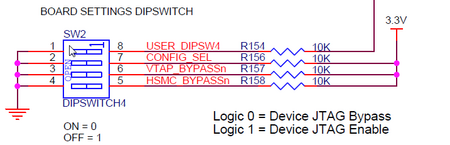
Hello Everybody. I am an old timer from the Altera Forum. First timer posted on the Intel Forum. I've been trying to follow the I2C Remote System Upgrade Example (Max 10) for a week now (see attached user guide in pdf). I have bought both the Max 10 Eval kit and Max 10 Development kit as described in the user guide. I followed the instructions to the letter: P.g. 11 Programming Master Image into Max 10M50 - Done P.g. 11 Programming Slave Image 1 into Max 10M08 - Done P.g. 13 Programming Slave Images 1 and 2 into CFM 1 and 2 on Max 10M50 - Done P.g. 16 Setup the USB-To-UART System - Done P.g. 16 Send Slave Image 1 and Slave Image 2 Via UART Here, I did everything up to step 3, where I need to reset the Nios processor by pressing USER_PB3 button and expect something to show up in the terminal window..😭 But I don't see anything from my terminal window I am suspecting that my Nios processor in Max 10 wasn't up and running, but there's no indicator to tell. I did NOT physically connect the I2C bus between these two boards yet, but I don't think that is the issue. I noticed that the Max 10 Development kit has a dip switch (SW2) on the bottom side of the PCB for configuration (i.e. BOARD SETTING DIPSWITCH). Does these switch need to configure in certain configuration to follow the sample? The document didn't mention anything in that regard. Did anyone follow this example and managed to get it working? Thanks Yi7.1KViews1like11Comments